

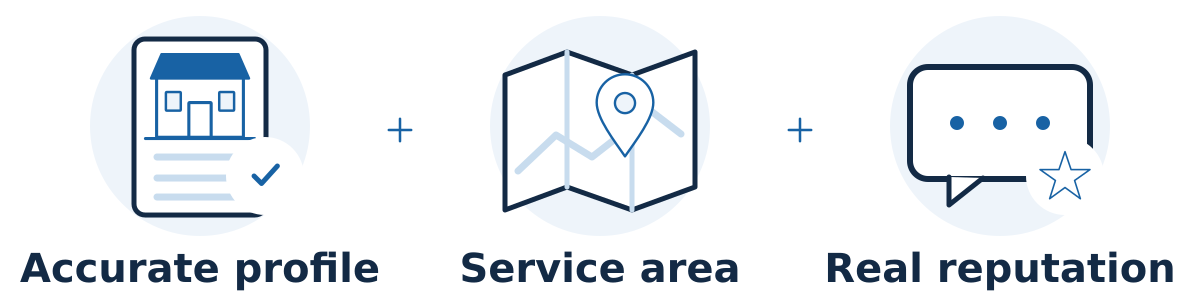
For an eligible business, Google Business Profile helps customers discover and evaluate you in Google Maps and local Search results. Accurate information can improve your chances of appearing for relevant searches and help someone decide to call, visit, or explore your website. It works alongside your website and broader reputation.
What affects where your business appears?
Google describes three main considerations: relevance, distance, and prominence. Relevance is how well your business matches the search. Distance concerns proximity to the searcher. Prominence reflects how well-known the business is, including signals such as reviews and links. You can improve your information and reputation, but you cannot control where each customer searches from. See Google's local ranking guidance.
What should I check first?
Confirm the right listing. Find your existing profile and complete the required verification. Before creating another listing, check whether your business already has one that needs access or correction.
Use your real business identity. Check the name, main category, phone number, website, and opening hours. Choose categories that describe what you actually do. Google's business representation guidelines prohibit adding unnecessary promotional or keyword information to the name.
Show the right location details. If you travel to customers and do not receive them at your business address, remove that address from public display and specify your genuine service area. Follow Google's service-area guidance.
Make the profile useful. Add current photos, explain the services you provide, and check holiday hours. Open the website link on a phone and confirm that visitors can easily find the service and contact you.
Ask for honest feedback. Give customers an easy review link without offering rewards. Invite feedback consistently rather than filtering for happy customers. Google's review policies prohibit incentives and selectively requesting positive reviews.
Hypothetical example
Imagine a mobile dog groomer whose profile still links to an expired booking page and shows an old phone number. Correcting both gives interested customers a working route to an appointment. Adding clear service descriptions and real grooming photos also helps them judge fit. These improvements make the listing more useful; any ranking change still depends on competition, location, and other signals.
Common mistakes and limits
Avoid fake offices, duplicate profiles created for each nearby town, and names padded with phrases such as “best emergency service.” A city listed in your service area is not a promise that you will rank there. No provider can pay Google to secure a better local ranking.
Also separate visibility from business results. Keep a simple log of changes and compare inquiries, booked jobs, and customer fit over comparable periods. A profile can generate attention while a broken form, missed calls, or unclear service information prevents that attention from becoming business.
Separate visibility, interactions, and booked work
A useful review follows the customer from seeing the profile to contacting the business and becoming a customer. These stages answer different questions:
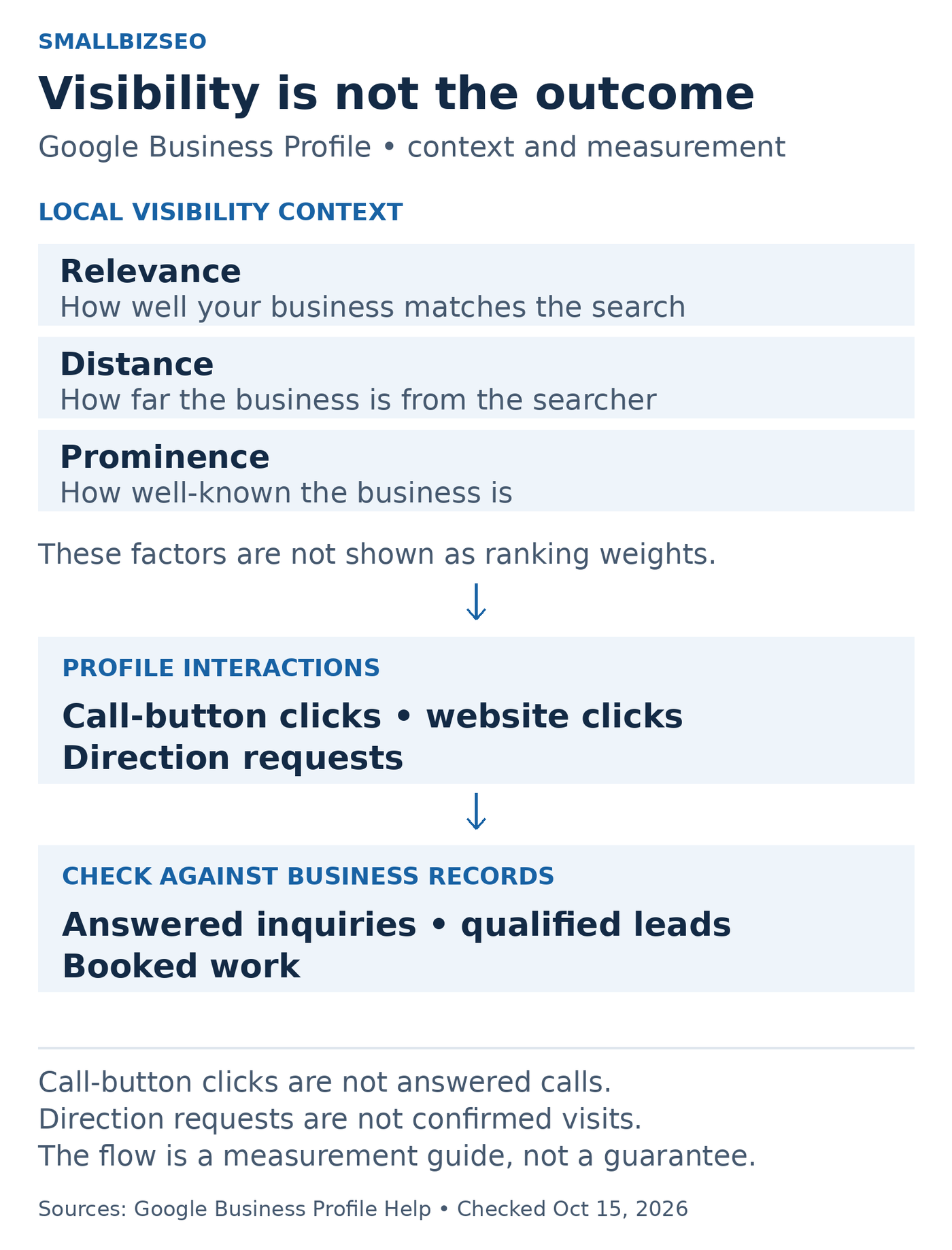
Track the stages separately. Google profile interactions are not the same as completed visits or booked work.
Source: Google Business Profile local-ranking and performance documentation; checked October 15, 2026. No ranking weights or conversion rates are implied.
Visibility: are relevant people finding the profile? Google's local-ranking guidance describes relevance, distance, and prominence. Complete, accurate details support relevance, while a searcher's location is outside your control. Treat these as considerations, not published percentage weights.
Interactions: what did people click? According to Google's Business Profile performance guidance, the calls metric counts clicks on the call button; website clicks count clicks on the website link. A call-button click does not prove that someone answered, and a request for directions does not establish a completed visit.
Business results: what happened afterward? Use your own inquiry and booking records to check whether contacts were answered, whether the customer needed a service you offer, and whether work was booked. Keep this distinct from profile interactions.
Google notes that available performance metrics vary by business and that performance data can include organic results and Google Ads. Do not label every reported interaction an organic SEO lead. Compare like-for-like periods and note advertising or operational changes alongside profile edits.
A practical review for the mobile-groomer example
After correcting the expired booking link and old phone number, the business could:
Open the public profile on a phone and test the current website and contact route.
Check that the booking page clearly describes the actual services and area covered.
Record the correction date and compare subsequent profile interactions with a comparable earlier period.
Review its own inquiry records for answered contacts, suitable requests, and confirmed appointments.
This is a hypothetical measurement routine, not a promise of a particular increase. More interactions with few suitable appointments calls for a different investigation from fewer people discovering the profile. Accurate information and working contact routes are worth fixing even when a ranking change cannot be attributed to the edit.
Your next step
Review your profile as if you were a first-time customer. Fix inaccurate contact, location, or availability details first, then improve the information that helps someone choose your business.