

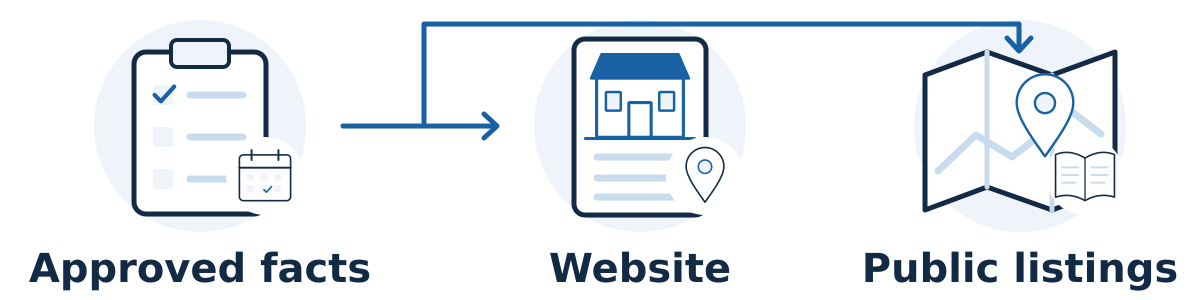
If you are moving your business or changing its name, coordinate the public updates around the actual change. Update the places customers use to find, contact, and verify your business: your website, Google Business Profile, important directory listings, booking tools, and public social profiles. Start with an agreed record of the new facts and their effective date. A physical move, a minor name correction, and a substantial rebrand need different handling; do not assume they all justify creating a new Google profile.
Keep a business change consistent
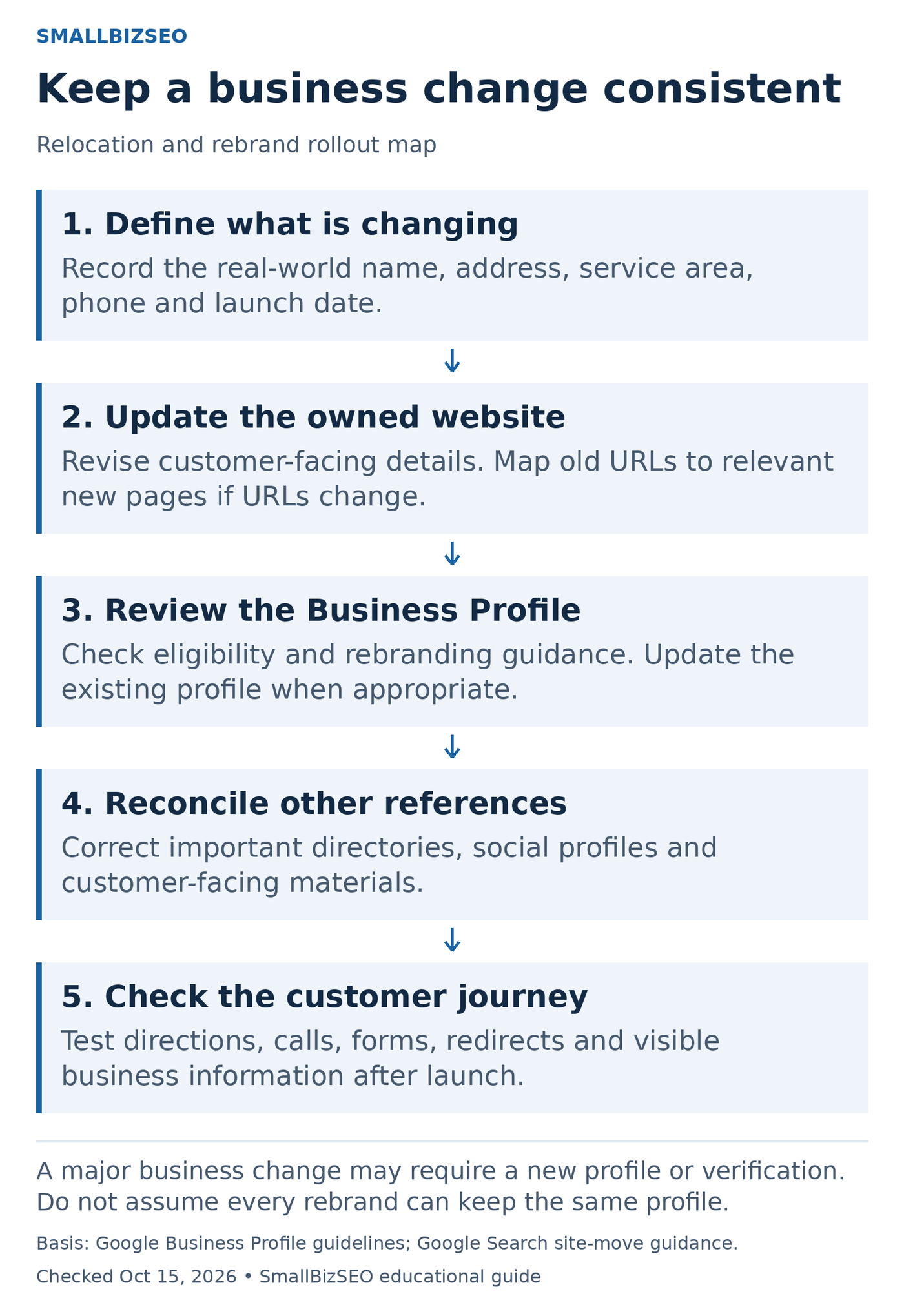
An editorial rollout map for coordinating a relocation or rebrand. Profile eligibility and verification depend on the actual business change.
1. Define what is changing: Record the real-world name, address, service area, phone and launch date.
2. Update the owned website: Revise customer-facing details. Map old URLs to relevant new pages if URLs change.
3. Review the Business Profile: Check eligibility and rebranding guidance. Update the existing profile when appropriate.
4. Reconcile other references: Correct important directories, social profiles and customer-facing materials.
5. Check the customer journey: Test directions, calls, forms, redirects and visible business information after launch.
A major business change may require a new profile or verification. Do not assume every rebrand can keep the same profile.
Diagram references: Google guidance 1 · Google guidance 2. Checked October 15, 2026.
Decide what is actually changing
Write down the current and new trading name, address, phone number, hours, website address, and service area. Identify which details stay the same. Give one person responsibility for the change log and another for checking the public result. This prevents two team members submitting conflicting edits.
For Google, the name should match the business as represented in the real world. A minor rebrand can qualify for an existing-profile update when the proper nouns and described services remain unchanged and the business category remains unchanged. Google also has guidance for multi-location rebrands. A change outside its qualifying criteria can be treated as a new business. Consult the business representation guidelines before treating a major identity change as an ordinary edit.
Handle the existing Google profile carefully
For a relocation of the same business, update its existing profile rather than creating a replacement merely because the address changed. Google's profile editing guidance says a verified business moving to a new address must verify again. Prepare accurate business evidence and follow the verification method offered in the account; an agency cannot promise to bypass this step.
Review continuity has separate conditions. Google's review-transfer guidance says reviews normally transfer automatically after a same-name relocation, with exceptions for categories such as hotels, golf courses, and scenic attractions. Minor name changes and qualifying multi-location name changes retain reviews. A substantial change may not qualify. If an accidental duplicate already exists, use Google's support route rather than assuming deleting one profile will move its reviews.
Update the customer journey, not just the footer
Search your website for the old name and address. Check contact and location pages, embedded maps, directions, downloadable brochures, image captions, structured business data, booking confirmations, and form thank-you pages. An updated footer does little good if the booking tool still sends customers to the old building.
Keep useful page URLs unchanged when practical. A business relocation does not automatically require a website-domain change. If the domain or page addresses really must change, handle that as a separate website migration with a URL inventory, redirect plan, and testing. Avoid combining optional redesign work with an urgent operational move unless the team can manage both safely.
For customer-facing locations, confirm the map pin and arrival instructions. For a service-area business, check the profile's address-display rules before exposing a private residential address. Update service coverage only to reflect work you can genuinely deliver.
A hypothetical move
A bicycle repair shop moves across town while keeping its name and phone number. Before opening, its owner prepares a dated website notice and updates the booking instructions. When the move takes effect, the existing Google profile receives the new address and goes through verification. The owner checks the actual map destination, then corrects the main cycling directory and social profile.
A customer still sees the old address on an association listing. The owner records that page, requests a correction, and tracks it until the public listing changes. This is a targeted cleanup, rather than a new submission to every directory available.
Your move or rename checklist
Confirm the change type, effective date, approved facts, and responsible owner.
Save existing profile links and account access before editing anything.
Update website details and test calls, forms, bookings, and directions.
Edit the appropriate Google profile and complete any required verification.
Correct priority listings, social profiles, and customer-facing templates.
Revisit public pages and search results; record unresolved old details and their owners.
What to expect afterward
Different services can review and publish changes at different speeds. Keep evidence of submitted corrections and distinguish pending edits from live information. Search visibility can change after a move because the business is now in a different location; matching every listing cannot guarantee the old map positions.
Finish by asking someone unfamiliar with the move to find your business and follow the route to contacting or visiting it. That practical test often catches a stale instruction that an administrative checklist misses.