

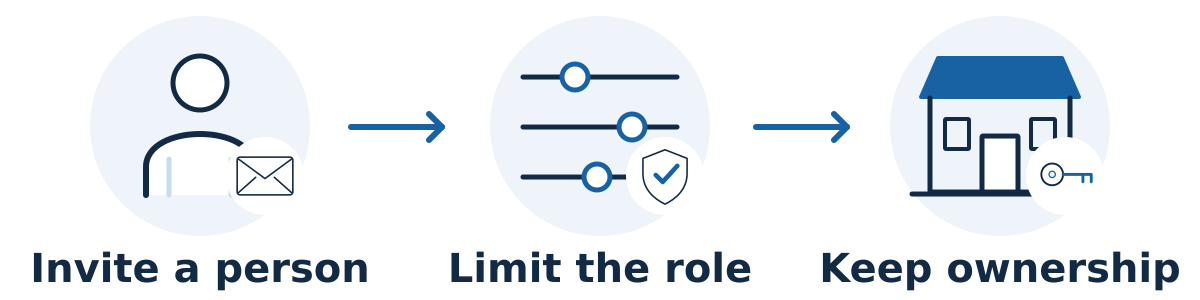
Use each platform's user-invitation or collaborator feature, give the provider only the permissions needed for the agreed work, and keep your business in control of its accounts. Avoid sharing the password for your main Google account, domain registrar, or business email.
Access needs depend on the task. Reading reports, editing website pages, changing tracking, and managing a business profile require different capabilities. Agree on those tasks before choosing permissions.
Ask for a short access request
For every platform, ask the provider to specify the account or property, the named email address to invite, the requested role, the work it enables, and whether access can be temporary. Confirm the address through an established contact channel before sending an invitation.
Search Console: owners, full users, and restricted users have different capabilities. Use Google's permissions documentation to choose the required role. Your business should retain verified ownership; routine reporting does not automatically require another owner.
Google Analytics: use property-level permissions when broader account access is unnecessary. Google's access-management guidance explains reporting, editing, and administrative roles. Review whether the work requires configuration changes or only viewing data.
Google Business Profile: a manager can handle many day-to-day tasks without becoming the primary owner. Google supports separate owner and manager accounts, so sharing your login is unnecessary.
Your website: create a named account with the appropriate editor or administrator permissions for the actual work. Role names and capabilities vary by platform, so inspect them rather than assuming an “editor” is always limited in the same way.
Keep ownership and sensitive systems under control
Keep recovery details current and use the platform's stronger sign-in protection, such as multifactor authentication. Your business should retain control of the domain registration, hosting account, billing, and key administrative accounts. If a specific change requires elevated permissions, discuss why, how it will be tested, and when the extra access will end.
Agree on a backup and approval process before production changes. Access alone should not leave either party guessing about whether a redesign, deletion, tracking change, or new integration has been approved.
A hypothetical example
Imagine a consultant is reviewing a retailer's search performance and writing page recommendations. Reporting access may be enough initially. If the retailer later approves implementation, it can add the relevant website-editing permissions for that phase without handing over its main email or registrar login.
An access handover with a beginning and an end
Before accepting an access request, ask the provider to name the system, the task, the minimum role needed, and when access should be reviewed. Keep that record with the person who controls the business accounts. An invitation should correspond to agreed work, not merely to the fact that a supplier has been hired.
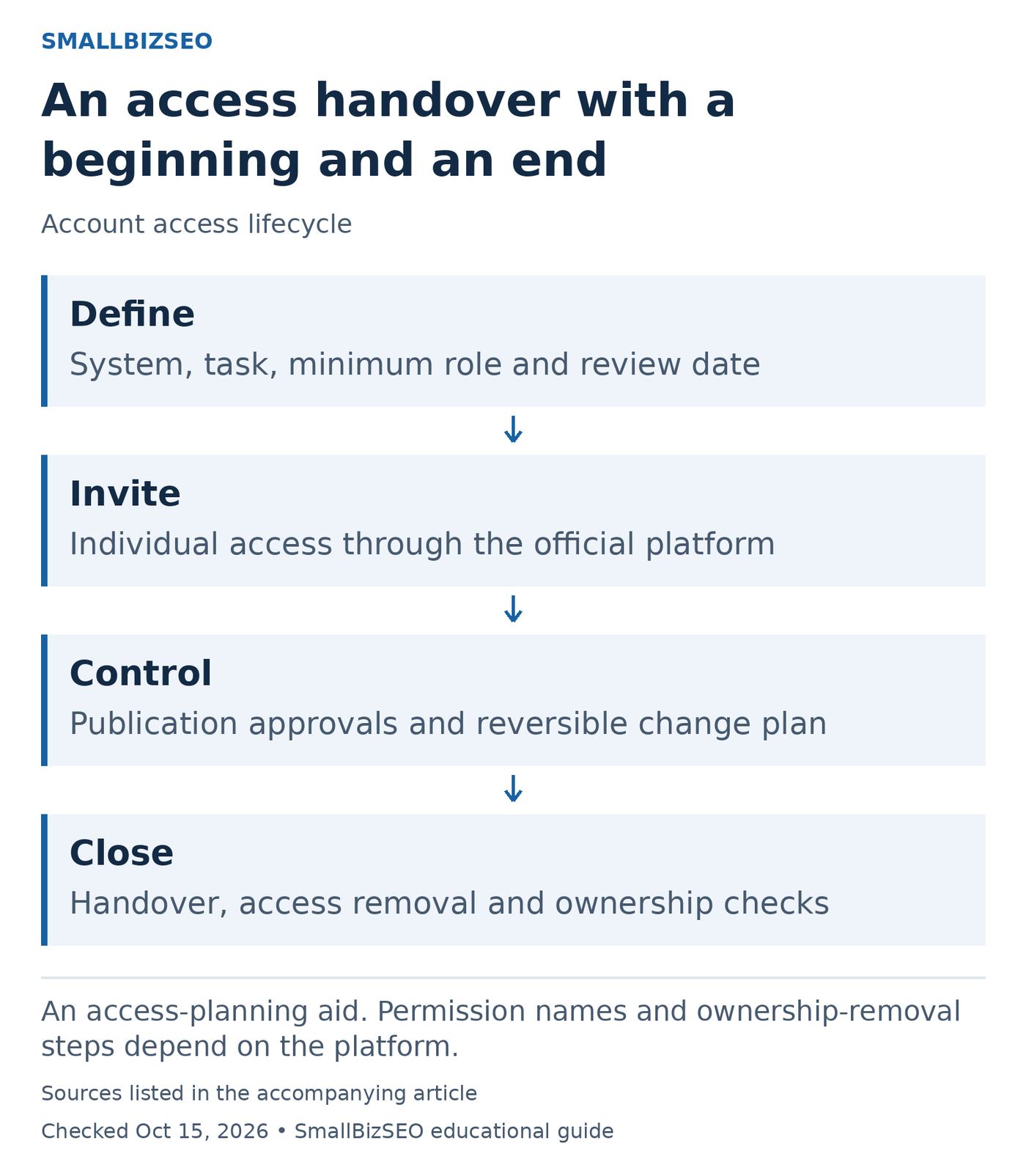
An access-planning aid. Permission names and ownership-removal steps depend on the platform.
Sources: Google official guidance. Checked October 15, 2026. This visual is an editorial guide, not measured client results.
During evaluation: establish what can be assessed with read access. Google’s hiring guidance recommends read-only Search Console access for an audit at that stage. Website editing, billing, domain management, and account ownership are different responsibilities; do not bundle them automatically.
During implementation: grant an individual account the role needed for the approved task. Confirm who approves publication and who can undo a mistake. Ask the provider to flag any additional permission requirement before expanding access. Use the platform’s official invitation and authentication process rather than circulating the owner’s password.
At handover: obtain a change list, outstanding issues, and confirmation that the business can still manage each important account. Remove access that is no longer needed through the platform’s controls. Search Console verification methods deserve particular attention when a verified owner leaves; follow its ownership-removal guidance rather than assuming a visible user deletion resolves every verification route.
A hypothetical content editor may need to edit approved pages without controlling the domain or payment settings. Recording that distinction makes onboarding simpler and departure safer. Do not add passwords, recovery codes, or private tokens to the access checklist itself.
Reference: Google’s official guidance. This checklist is an editorial planning aid; checked October 15, 2026.
Common mistakes and the next step
Avoid passwords in email, shared staff logins, unused administrator accounts, and making an outside provider the only person with ownership access. Keep a record of invitations and review it when the project changes or ends.
During offboarding, remove unneeded users and review integrations. For a former verified Search Console owner, Google also advises removing their verification tokens so they cannot reverify. Have the appropriate technical person do this carefully while preserving your business's own verification.
Start by listing the accounts involved and identifying who in your business owns each one. Then grant access against the agreed task list.