

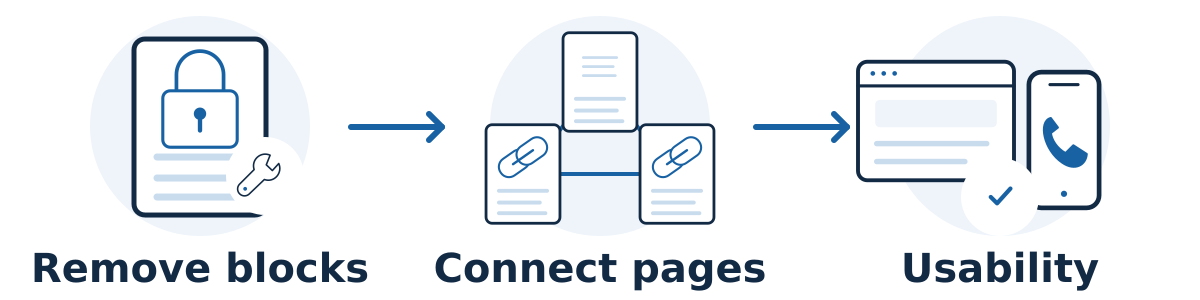
Technical SEO is the work that helps search engines access, interpret, and index your website correctly. It also overlaps with making the site reliable and usable. Start with problems that stop important pages from working or being eligible for search, then address issues according to their business impact.
An audit may list hundreds of warnings. That does not mean you have hundreds of equally urgent problems. A useful recommendation explains which pages are affected, what the consequence is, and how the fix will be checked.
A practical order of work
Restore availability and deal with urgent security problems. A broken website, compromised page, or widespread server failure needs immediate attention from the responsible technical team. Preserve evidence and coordinate changes rather than applying several unrelated fixes at once.
Remove unintended crawl or indexing barriers. Check whether commercially important pages can be accessed, return successful responses, and contain indexable content. These are part of Google's technical requirements.
Confirm the important content is actually visible. A page can look complete to a visitor while depending on scripts that do not deliver its content reliably to search engines. Google's JavaScript SEO guidance explains why rendering needs attention on script-heavy sites.
Correct structural mistakes. Review wrong redirects, unintended duplicate versions, incorrect canonical signals, broken links to important pages, and navigation gaps. Prioritize problems affecting key services or many pages.
Improve the customer experience. Address slow or unstable pages, difficult mobile layouts, and obstacles in inquiry or checkout flows. Confirm the improvements on actual devices and representative pages.
Handle smaller enhancements. Tidy up remaining metadata and eligible structured-data issues when they serve a clear purpose. These should not displace urgent work on access, content, or customer journeys.
Ask for evidence, an owner, and a verification plan
For each proposed fix, ask for an affected URL, a plain-English explanation, the person responsible, and the test that will demonstrate success. Keep a backup and change record where appropriate. If the same template affects many pages, test a representative sample before and after the change.
A tool score is one input. Google's page-experience guidance says good Core Web Vitals do not guarantee top rankings and that chasing a perfect score may be a poor use of time.
A hypothetical example
Imagine a repair business whose audit flags oversized images and a noindex instruction on its emergency-repair page. If that page should appear in search, the indexing restriction deserves attention before small image-score improvements. The mobile inquiry button also fails, so fixing it belongs in the same commercially important work queue.
Turn an audit finding into a repair ticket
A technical finding becomes useful when someone can reproduce it, judge its impact, and confirm the repair. Ask for a short ticket containing an example URL, observed behavior, affected page types, proposed change, owner, and verification method. A screenshot of a warning score is not enough.
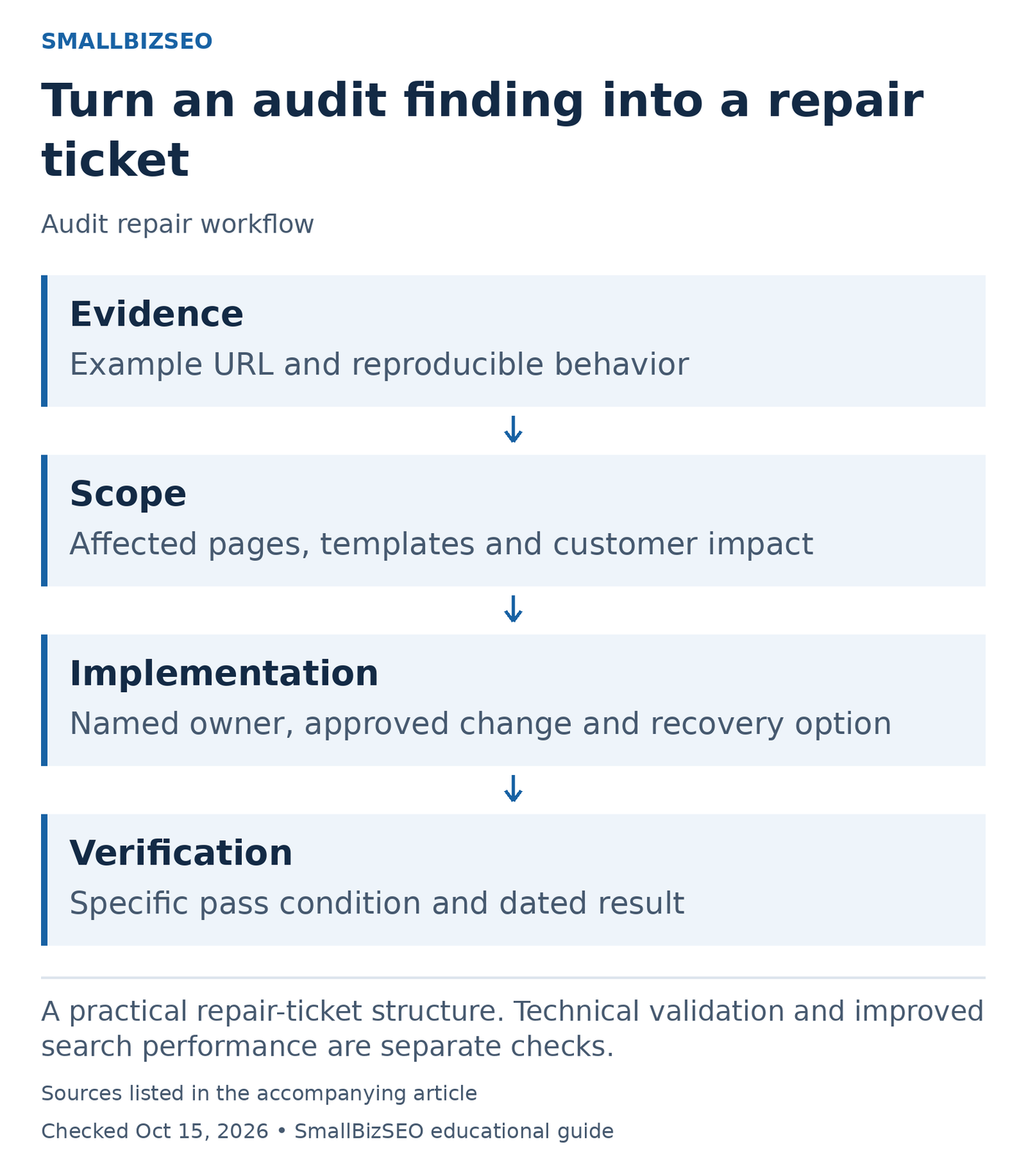
A practical repair-ticket structure. Technical validation and improved search performance are separate checks.
Sources: Google official guidance. Checked October 15, 2026. This visual is an editorial guide, not measured client results.
Start with the customer or search consequence. “The inquiry form fails on mobile” describes a concrete problem. “The site has several warnings” does not. Separate an active outage from an improvement opportunity so the team does not polish minor details while an essential journey is broken.
Check scope before implementation. Is the issue on one page, a shared template, or the whole site? A template fix may solve many instances, but it can also affect more pages than expected. Ask the developer to identify a representative test page and the other page types that need checking.
Define a pass condition. For a hypothetical accidentally blocked service page, the implementation check could establish that the unintended restriction is gone and the live page is accessible. A later search review checks what Google has processed; it is a separate observation from the repair itself.
Keep the original evidence and the date the change went live. If the issue cannot be reproduced, record what remains uncertain rather than accepting an automated recommendation blindly. Close the ticket only after its specific test passes, and monitor the business measure separately. This makes technical work accountable without promising that every repair will lift rankings.
Reference: Google’s official guidance. This checklist is an editorial planning aid; checked October 15, 2026.
Common mistakes and the next step
Avoid treating every warning as an emergency, installing multiple optimization plugins without testing, or changing settings without a recovery plan. Technical improvements can remove obstacles, but they cannot create demand or replace a useful service offer.
Ask for a ranked list of the five most important issues, each with its evidence, affected pages, likely consequence, and verification method.