

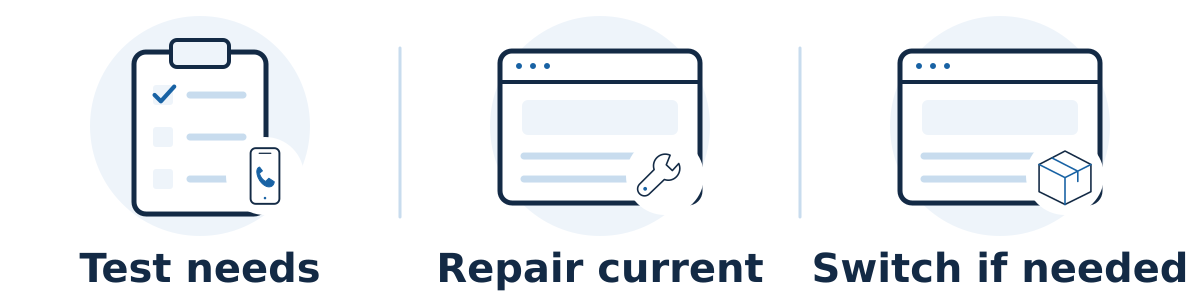
Your website builder is good enough for SEO if it lets you publish useful, accessible pages, manage the technical details your site requires, and maintain a reliable customer experience. Switch when you can document an important limitation that cannot be fixed sensibly on the current setup. Low rankings alone do not prove that the platform is the problem.
Choose a platform by what you need
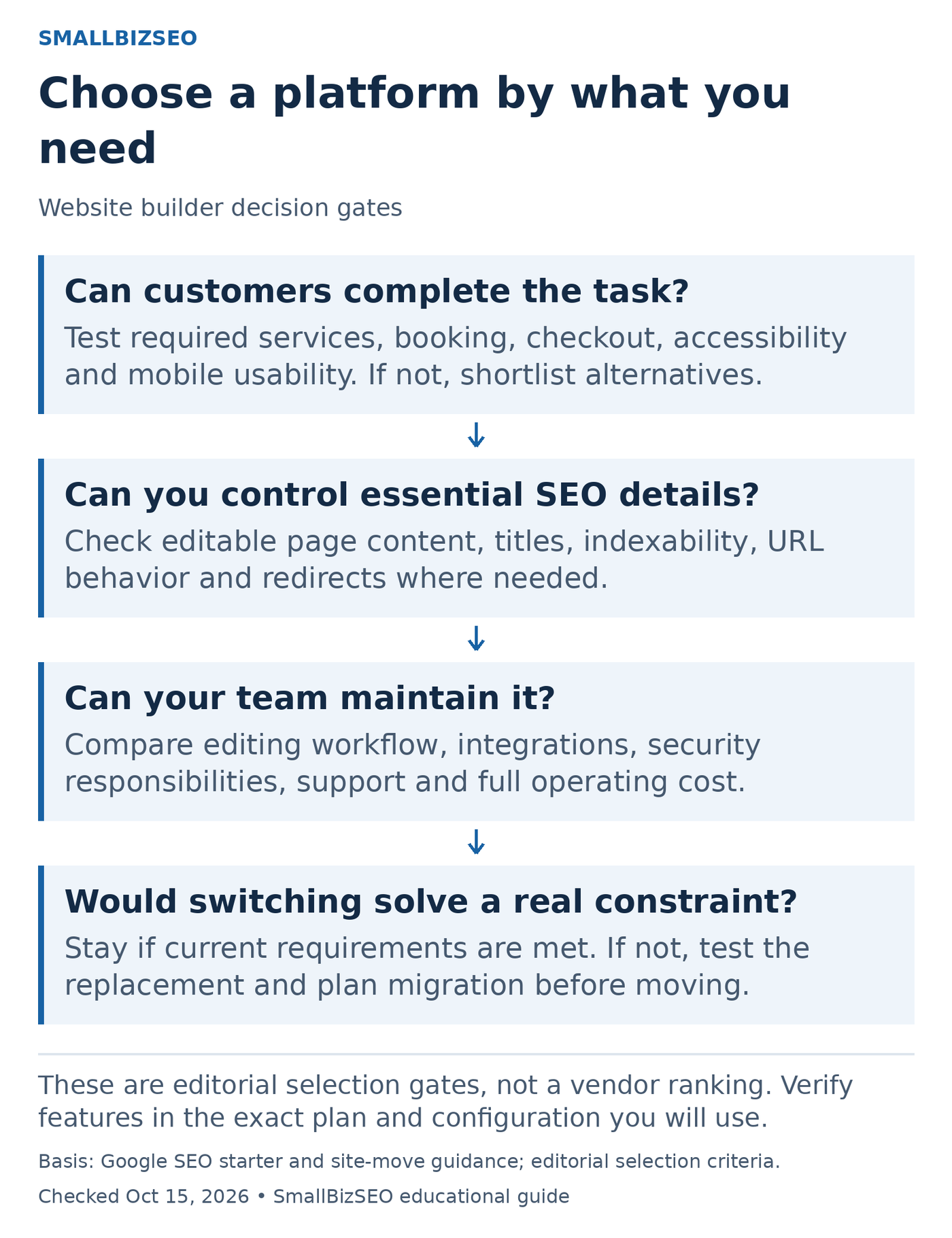
A platform-fit decision guide. A change is worth considering when it resolves a verified requirement and the migration risk is manageable.
Can customers complete the task?: Test required services, booking, checkout, accessibility and mobile usability. If not, shortlist alternatives.
Can you control essential SEO details?: Check editable page content, titles, indexability, URL behavior and redirects where needed.
Can your team maintain it?: Compare editing workflow, integrations, security responsibilities, support and full operating cost.
Would switching solve a real constraint?: Stay if current requirements are met. If not, test the replacement and plan migration before moving.
These are editorial selection gates, not a vendor ranking. Verify features in the exact plan and configuration you will use.
Diagram references: Google guidance 1 · Google guidance 2. Checked October 15, 2026.
Test your actual requirements
Start with the work your business needs to do over the next year. A small service site may need clear service pages, project examples, contact forms, and dependable editing. A large store may need product variants, filters, inventory integration, and more complex control of duplicate URLs. The right test is whether a platform supports those requirements, including their maintenance cost.
Google's developer guidance focuses on making content accessible to search engines and users. It does not offer a magic builder choice. A page should expose its important content and links in a form search engines can process; a polished visual preview is not enough evidence.
Ask someone to demonstrate each essential task on your site or a representative test site. Record what works natively, what requires a supported extension or developer, and what is genuinely unavailable. Separate “we have not found the setting” from “the platform cannot do this.”
Check the controls that matter
Page editing: Can you write useful page titles, headings, descriptions, and body content without hiding the important information inside images?
URLs and redirects: Can you maintain stable page addresses and redirect changed URLs to relevant replacements?
Indexing and duplication: Can the appropriate person manage indexing settings and preferred-page signals where your site needs them?
Images and mobile use: Can you supply useful alt text, sensible image sizes, and readable layouts?
Measurement and inquiries: Can you connect the necessary measurement tools and test form delivery, calls, bookings, and purchases?
Maintenance: Can your team safely update content, manage access, and recover from a bad edit?
These are an evaluation checklist, not instructions to change advanced settings indiscriminately. For example, an unnecessary indexing restriction can hide an important page. Have a qualified person explain the proposed change and how it will be verified.
Check current documentation before accepting a claim
Builder capabilities change, and support can differ by plan, page type, or integration. Wix documents a 301 redirect manager, while Squarespace documents URL mappings. These examples show why a blanket claim that builders cannot handle redirects needs checking. They do not establish that every redirect pattern or migration is supported.
Ask a provider recommending a switch to identify the exact missing capability, affected pages, business consequence, and evidence. Then ask whether a smaller change would solve the problem. A missing service explanation, unapproved content backlog, or form sent to the wrong inbox can remain broken after an expensive rebuild.
A hypothetical decision
A decorating business is told it needs a new platform because its site is not producing enough inquiries. A review finds that the existing builder supports editable titles, service pages, and redirects. The largest gaps are vague service descriptions and a mobile form that nobody has tested. The owner fixes those issues before considering a move.
Later, the business needs a scheduling integration its current setup cannot reliably support. The team tests that integration on a replacement platform and compares the full costs of migration and maintenance. That is a documented operational reason to consider switching, rather than a promise that a different logo in the administration panel will create rankings.
Your stay-or-switch checklist
List the important customer journeys and planned site requirements.
Test each requirement on the current platform, with documentation where needed.
Separate content, configuration, integration, and genuine platform problems.
Price a repair against a move, including migration and ongoing maintenance.
Test the replacement against the same requirements before committing.
If switching, prepare the page inventory, URL plan, measurement checks, and launch responsibilities.
Include the cost of disruption
A move can change URLs, navigation, content, templates, tracking, and team habits at once. Budget for preserving valuable pages and testing old links as well as building the new design. Confirm domain ownership, access, export limitations, and who can maintain the finished site.
A platform change cannot guarantee rankings, and a passing SEO checklist cannot guarantee customers. Your next step is a short evidence-based decision: what specifically prevents useful work today, whether it can be repaired, and what a replacement demonstrably improves. Keep the full migration plan for after that decision is justified.