

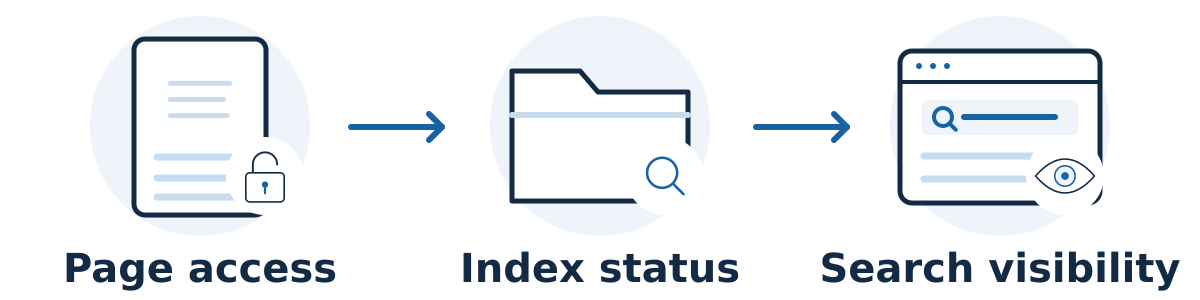
First distinguish two problems: Google may not have indexed the page, or the page may be indexed but not visible for the search you tried. A new page, a technical block, weak discovery, duplicate content, and competitive search results can all lead to different next steps.
Repeatedly searching for your business is not a reliable diagnosis. Start with the exact page URL and evidence from Google Search Console.
Check the page in a sensible order
Confirm the public page works. Open it without being logged into your website. Check that it shows the intended content and does not return an error, demand a login, or redirect unexpectedly.
Inspect the exact URL. In Search Console, use URL Inspection to review the indexed status and the reason shown when a page is not indexed. The stored report and a live test answer different questions; the live test helps check the page as it exists now.
Investigate the reported cause. Ask your website manager to check accessibility, accidental indexing restrictions, failed page loading, and whether Google chose another version as the canonical page. A canonical is the representative URL selected from similar versions.
Check discovery and usefulness. Make sure relevant website pages link to the new page and that it belongs in your sitemap. Review whether it provides a distinct, useful answer instead of repeating another page.
Check wider problems when appropriate. If many pages suddenly disappear, review Search Console's security and manual-action reports and recent website changes. A site-wide problem needs a broader investigation.
Understand what a technical fix can establish
Google's technical requirements include allowing access to Googlebot, returning a successful response, and having indexable content. Meeting those requirements makes a page eligible; it does not guarantee indexing or a particular position.
A common launch mistake is leaving a noindex instruction on public pages. Another is trying to control indexing solely through robots.txt. Google's noindex guidance explains that a crawler must be able to access a page to see its indexing instruction. Have someone check the actual configuration rather than toggling settings at random.
If your site uses Notion, check the platform's publishing settings too. Notion's publishing guide distinguishes a publicly shared page from a published Site and explains its Discoverable on the web setting. Enabling discovery still does not guarantee that Google will index the page.
A hypothetical example
Imagine a cleaning company publishes a new commercial-cleaning page. URL Inspection shows that indexing is blocked by a noindex instruction left over from staging. Its developer removes the unintended restriction and verifies the live page. That addresses the technical block; the page still needs discovery, useful content, and time to be evaluated.
Read the inspection result before choosing a fix
Keep a small investigation record for the exact URL: when it was published or changed, whether it opens for visitors, what the indexed report says, and what a live test finds. Those observations answer different questions and should not be collapsed into a single “Google cannot see it” diagnosis.
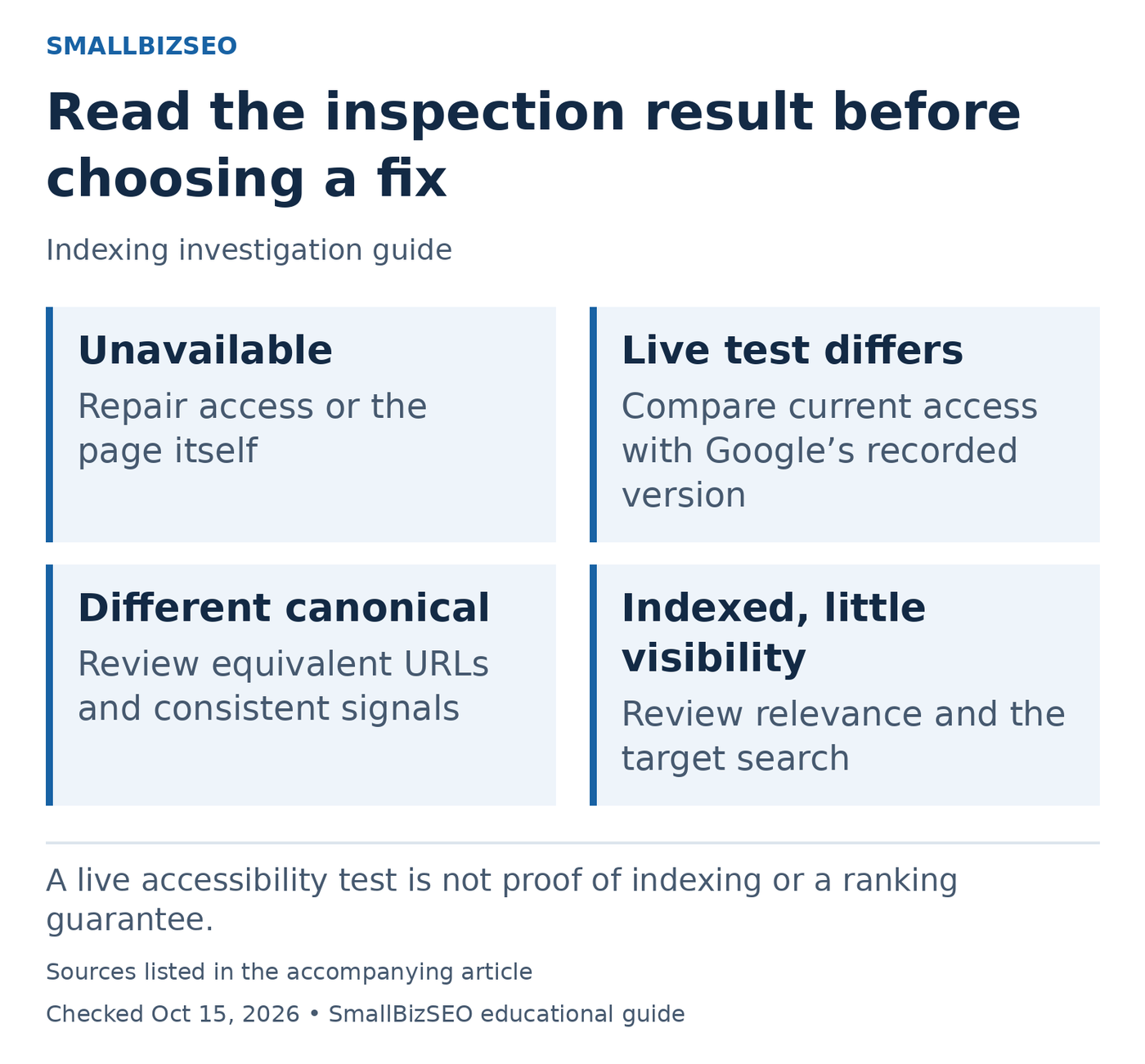
A live accessibility test is not proof of indexing or a ranking guarantee.
Sources: Google official guidance. Checked October 15, 2026. This visual is an editorial guide, not measured client results.
Unavailable to visitors: have the website manager check the address, server response, and any access restrictions first. Requesting indexing cannot repair a broken page or make a private page publicly usable.
Live page appears accessible, indexed report differs: compare dates and inspect what changed. Search Console’s indexed information reflects Google’s recorded version, while a live test checks current accessibility. A successful live test does not establish that the page is indexed or will appear for a particular query.
Google chooses another canonical: compare that destination with your intended page. Determine whether the versions are truly equivalent and whether internal links, redirects, and canonical settings tell a consistent story. Do not immediately remove the alternative without understanding why it exists.
Indexed but hard to find for a target search: review the customer need and competing results. Index inclusion and ranking for a phrase are separate outcomes. For a hypothetical new repair page, the right next action may be clarifying its scope rather than repeatedly requesting indexing. Save the evidence and ask for a specific diagnosis before making several unrelated changes.
Reference: Google’s official guidance. This checklist is an editorial planning aid; checked October 15, 2026.
Common mistakes and the next step
After fixing a problem, you can request recrawling through Google's supported methods. Repeated submissions do not speed up crawling, and a request does not guarantee inclusion.
Avoid buying indexing promises or repeatedly rewriting an indexed page before understanding its performance. Save the URL Inspection result, the date of publication or last change, and any error details. Those three items give your provider a concrete starting point.