


Start by deciding which page should remain and whether people still need access to the alternatives. Permanently retired pages with a relevant replacement usually need a permanent redirect. Duplicate versions that must stay accessible may need a canonical tag, which identifies the preferred URL to search engines.
Some duplication is normal. Google may encounter the same content through tracking links, alternative addresses, or website features. It generally chooses one representative version. Ordinary duplicate content is not automatically a spam violation, as Google explains in its canonicalization guide.
Which approach fits my situation?
Two pages answer different questions: keep both if each serves a useful purpose. Clarify the content and titles so their roles are understandable.
Two articles substantially overlap: review their inquiries, traffic, links, and useful content. Consider combining the strongest material into one page and redirecting the retired page to it.
A page has permanently moved: use a server-side 301 or 308 redirect when possible. Visitors are taken to the replacement, and Google receives a permanent-move signal.
A move is genuinely temporary: use an appropriate temporary redirect, commonly 302 or 307. Choose based on the intended duration, following Google's redirect guidance.
Equivalent versions must remain available: consider a canonical tag pointing to the preferred version. Unlike a redirect, the tag does not send visitors elsewhere. Google treats it as a hint and may select another URL.
How do I make the change safely?
Record the decision. Make a list containing the old URL, intended destination, reason for the change, and person responsible. Save important content before retiring anything.
Check the destination. It should genuinely satisfy the old page's purpose and work for visitors. Open it on mobile and test the inquiry or purchase step.
Implement consistent signals. Update internal links and the sitemap to use preferred URLs. Canonical settings should agree with that choice. Google's canonical implementation guidance explains these checks.
Test after publishing. Check the actual redirect status and destination with your developer or website tool. Then use Search Console URL Inspection to review Google's indexed canonical and investigate unexpected results.
Hypothetical example
Imagine a cleaning company with “office cleaning” and “commercial office cleaning” pages covering the same service. The owner finds useful appointment information on one and better project examples on the other. They combine both into the stronger page, redirect the retired URL, and update menu links. Before making that decision, they confirm that neither page serves a separate audience or service.
Common mistakes and limits
Avoid redirecting every removed page to the homepage or sending visitors through several successive redirects. If a page is gone and has no relevant replacement, a proper 404 or 410 response can be appropriate. Google covers these choices in its site-move guidance.
Do not use robots.txt or noindex as substitutes for canonicalization. They solve different problems. Also avoid changing successful URLs simply to make them look tidier; the change creates work and risk without establishing a business benefit.
Choose the outcome before the URL tool
Use the intended visitor experience to choose the action. Begin with two questions: does the old page still need to exist, and is there a genuinely relevant replacement? Write the answer beside each affected URL before asking a developer to change anything.
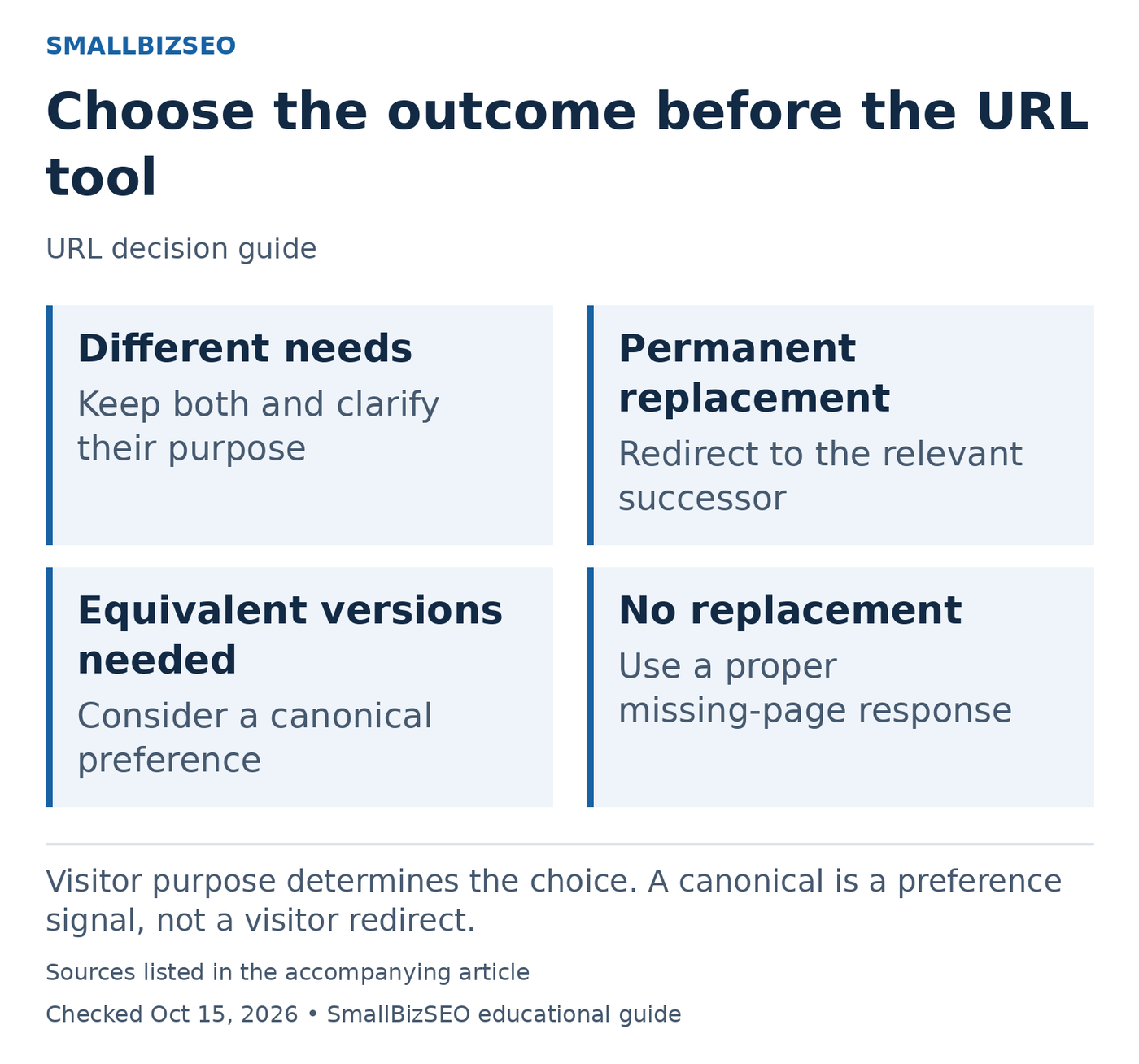
Visitor purpose determines the choice. A canonical is a preference signal, not a visitor redirect.
Sources: Google official guidance. Checked October 15, 2026. This visual is an editorial guide, not measured client results.
Keep separate: if two pages solve different customer problems, improve their distinction. A repair service and a replacement service may share vocabulary while answering different needs. Similar wording is not enough reason to combine them.
Retire and replace: if the old page is permanently superseded, send visitors to the closest useful replacement with a permanent redirect. First preserve any unique information that customers still need. Update your own links to the final address rather than leaving every visitor to travel through the redirect.
Keep equivalent versions accessible: discuss canonicalization when there is a real reason for duplicate URLs to remain available. A canonical signal concerns the preferred search version; it does not move a visitor to another page. Verify that your links and sitemap support the intended preference.
Remove without replacement: do not invent relevance by redirecting an unrelated page to the homepage. Ask the developer to return an appropriate missing-page response and provide useful navigation for people who arrive there.
After implementation, test both the old and final URLs and document what happened. The correct action is the one that matches the page’s purpose, not whichever setting is easiest to find in the website editor.
Reference: Google’s official guidance. This checklist is an editorial planning aid; checked October 15, 2026.
Your next step
Pick one suspected duplicate pair. Compare what each page does for customers, choose the intended outcome, and document the change before asking your developer to implement it.