

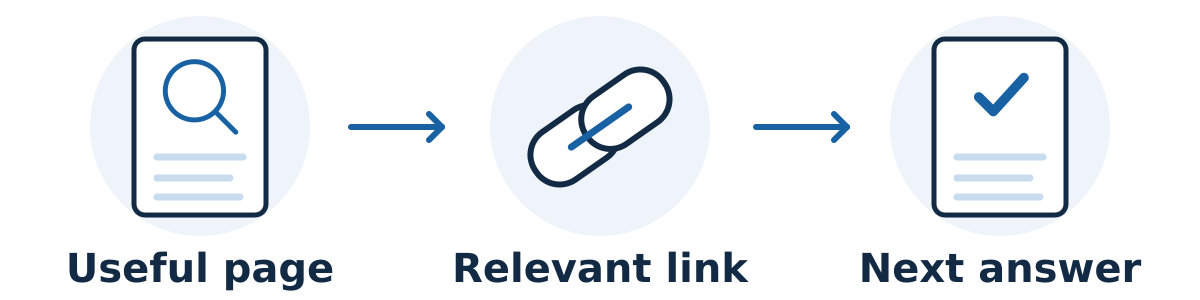
Internal links connect one page on your website to another. They help customers move from a question to a useful answer or service, and help search engines discover pages and understand how your content fits together.
The best starting point is the customer's next decision. A link should make the journey easier: from a service overview to a specific service, from an explanation to a relevant example, or from a buying question to an inquiry.
Build a simple route through your content
Identify your important destinations. List the services, products, and decision-support pages that matter most to your business. Check whether a first-time visitor can reach them through sensible navigation.
Review the pages that already attract attention. When an article answers an early question, consider which service page or deeper explanation would genuinely help that reader next.
Add links where the connection is clear. Put the link alongside the relevant explanation. Avoid turning a paragraph into a list of loosely related destinations.
Use descriptive link text. “Commercial window-cleaning services” tells a visitor more than “click here.” Keep the wording natural and accurate to the destination.
Check both directions where useful. A service page may benefit from linking to a preparation guide, while that guide may help readers return to the service when they are ready to inquire.
Check that the links work technically
Google's link guidance recommends crawlable links, meaningful anchor text, and at least one link from another site page to each page you care about. For a developer, a standard HTML link with a destination in its href attribute is the reliable starting point.
Ask your website manager to check links created by interactive menus or custom buttons. Also inspect outdated destinations after a page is moved, avoid unnecessary redirect hops, and confirm that important links work on mobile. A visitor should arrive where the text promised.
A hypothetical page map for a flooring business
A useful map shows the purpose of each page and the next question it helps a customer answer. It does not need to connect every page to every other page. In this example, a flooring business could use the following routes:
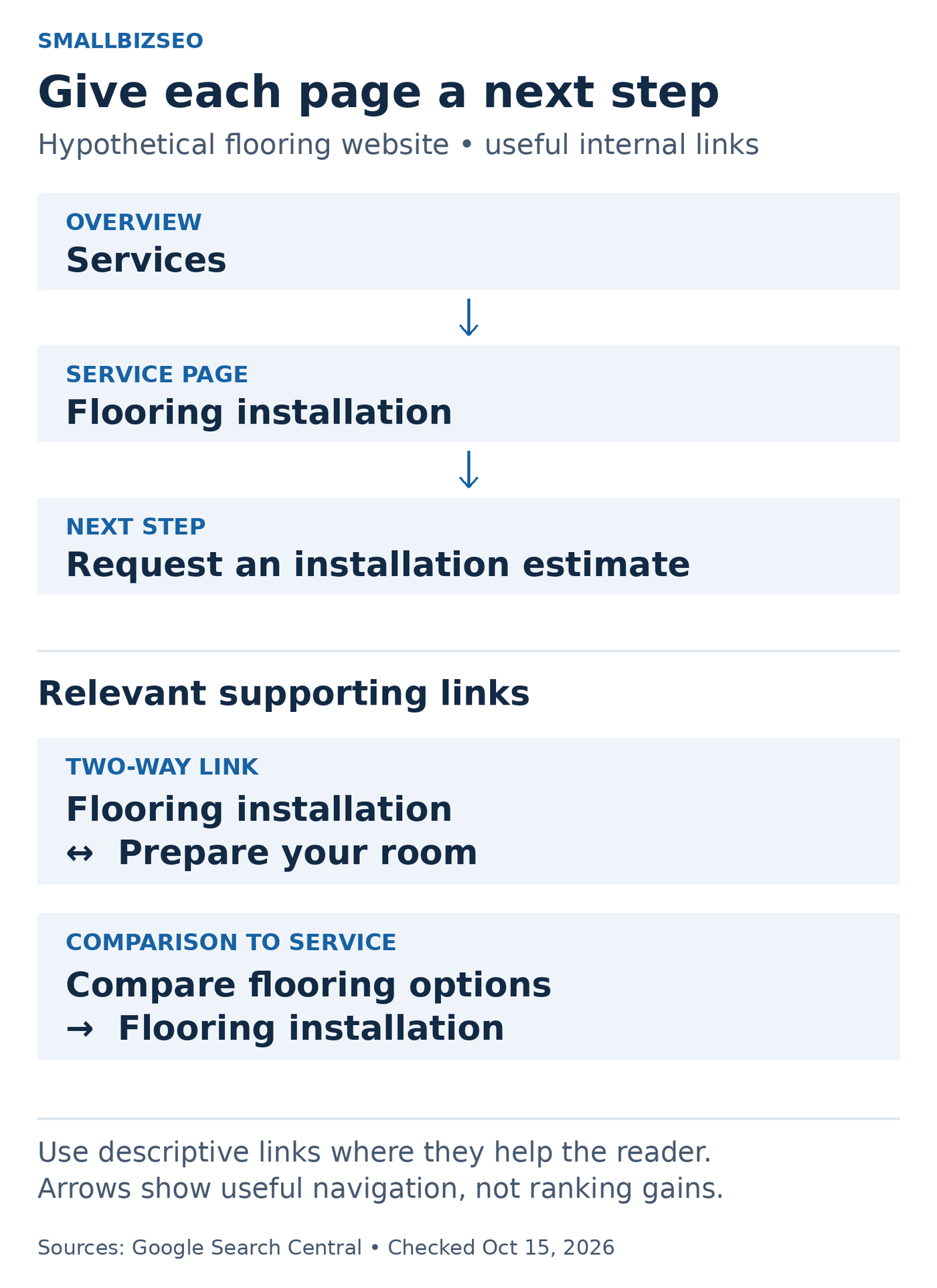
Hypothetical flooring-business page map. Arrows show customer-useful links, not ranking gains or a required number of pages.
Source: Google Search Central link best practices and sitelinks guidance; checked October 15, 2026. The example is editorial.
Services overview → Flooring installation. A visitor choosing a service can follow a link labeled “Flooring installation” to understand the work offered.
Flooring installation → Room preparation guide. Near the explanation of what happens before installation, “Prepare your room for installation” helps a customer plan.
Room preparation guide → Flooring installation. Where professional installation is relevant, a link back to the service gives interested readers a useful next step.
Flooring options comparison → Flooring installation. After explaining practical material trade-offs, link to installation only when that service helps the reader act on the comparison.
Flooring installation → Request an estimate. Make the inquiry route clear after explaining the scope and what information the customer needs to provide.
These are illustrative page names, not instructions to create five new URLs. Use your existing pages when they already do the job. A small business might keep some information on one page until there is enough distinct material to justify another.
Google's internal-link guidance recommends descriptive, relevant anchor text and crawlable links. Its sitelinks guidance also recommends logical navigation and links to important pages from other relevant pages. This supports a clear structure; it does not guarantee sitelinks or a ranking increase.
Check the route as a customer
Pick one important service and test the complete journey on a phone:
Can a visitor reach it through normal navigation without knowing the URL?
Does each link describe the destination accurately?
Does the supporting guide answer a real question rather than repeat the service page?
Does the final inquiry route work, and does it ask for information the business actually needs?
After moving or consolidating content, do the links still reach the intended page directly?
Write down the confusing step and fix that specific issue. Do not add a link simply to meet a target count.
Common mistakes and limits
Avoid linking every occurrence of the same phrase, inserting a large block of city links into every page, or assuming more links always produce better rankings. Google does not prescribe a magic number of links per page. Use the number that makes the content easy to navigate.
Internal links cannot compensate for an inaccurate page or an offer that does not match the visitor's needs. Their effect should be evaluated alongside page quality, search visibility, and the customer journey.
Your next step
Choose one important service page and three related articles. Read each as a customer, add only the links that answer a real next question, and test every destination. Repeat this review whenever you publish, consolidate, or move important content.