


Before a redesign or move, make a plan to preserve the pages, information, and customer journeys that already support your business. Confirm exactly what will change: the visual design, hosting, content management system, domain, page addresses, or several of these. The more you change together, the harder it becomes to diagnose a problem.
What should be ready before launch?
A record of the current site. Save a backup and export the existing page list. Record recent search traffic and inquiries, noting seasonal patterns. Identify the pages customers use before contacting or buying from you.
A decision for each important page. Mark it to keep, improve, combine, or retire. Ask the designer to preserve important service explanations, proof, and contact routes unless there is a clear reason to change them.
A URL plan. Keep working page addresses where practical. When an address changes, record its relevant replacement and arrange a permanent redirect. Avoid changing the domain, platform, and design at once where possible. These recommendations align with Google's site-move guidance.
A tested preview. Check menus, mobile layouts, images, downloads, booking tools, and form delivery. Confirm the preview cannot be indexed accidentally. Google's hosting-move checklist covers testing and access checks.
Working measurement and ownership. Confirm that Search Console verification and analytics will survive the change. Send a test inquiry and check that it reaches the correct inbox and is recorded as intended.
A launch owner and recovery plan. Name who can fix hosting, redirects, forms, or content problems. Agree what would trigger a rollback and make sure a usable backup is available.
For a domain change, review Google's Change of Address instructions, including verification of all applicable domain variants. The tool requires ownership of both properties in the same Google account and working redirects. It does not apply to routine redesigns or hosting-only moves. Keep control of the old domain so its redirects can continue operating.
What needs checking immediately after launch?
Open your most important pages on a phone, submit a test inquiry, and try several old links. Ask your developer to confirm that live pages load successfully, redirects reach their final destinations, and temporary preview restrictions have been removed from pages intended for search.
Check that canonical tags, internal links, and the sitemap reference the live preferred addresses. Use Search Console's URL Inspection tool to investigate access or indexing concerns. Its indexed report and live test answer different questions, so record which one you checked.
Hypothetical example
Imagine a plumbing company moving to a new website builder. Its old emergency-service page receives valuable inquiries, but the first design places that content under a new address. Before launch, the team retains the useful explanation, maps the old address to the new page, and tests the phone button. It also finds that quote emails are going to a developer's test inbox and corrects the destination.
Common mistakes and limits
Do not treat a visually polished homepage as evidence that the entire site is ready. Missing service pages, broken forms, and preview settings carried into production can cause real problems. A hosting change with identical URLs also needs testing, even though it may require no page-to-page redirects.
Search visibility can fluctuate while Google processes URL changes. Google generally recommends keeping migration redirects for at least a year. Continue watching errors, important landing pages, and inquiry quality; investigate sudden losses rather than assuming every decline is a normal adjustment.
A launch gate you can actually test
Turn the migration plan into a short acceptance record. For each test, capture the old address if applicable, expected result, actual result, evidence, and responsible person. Use important service pages and a sample from each page type, rather than testing only the homepage.
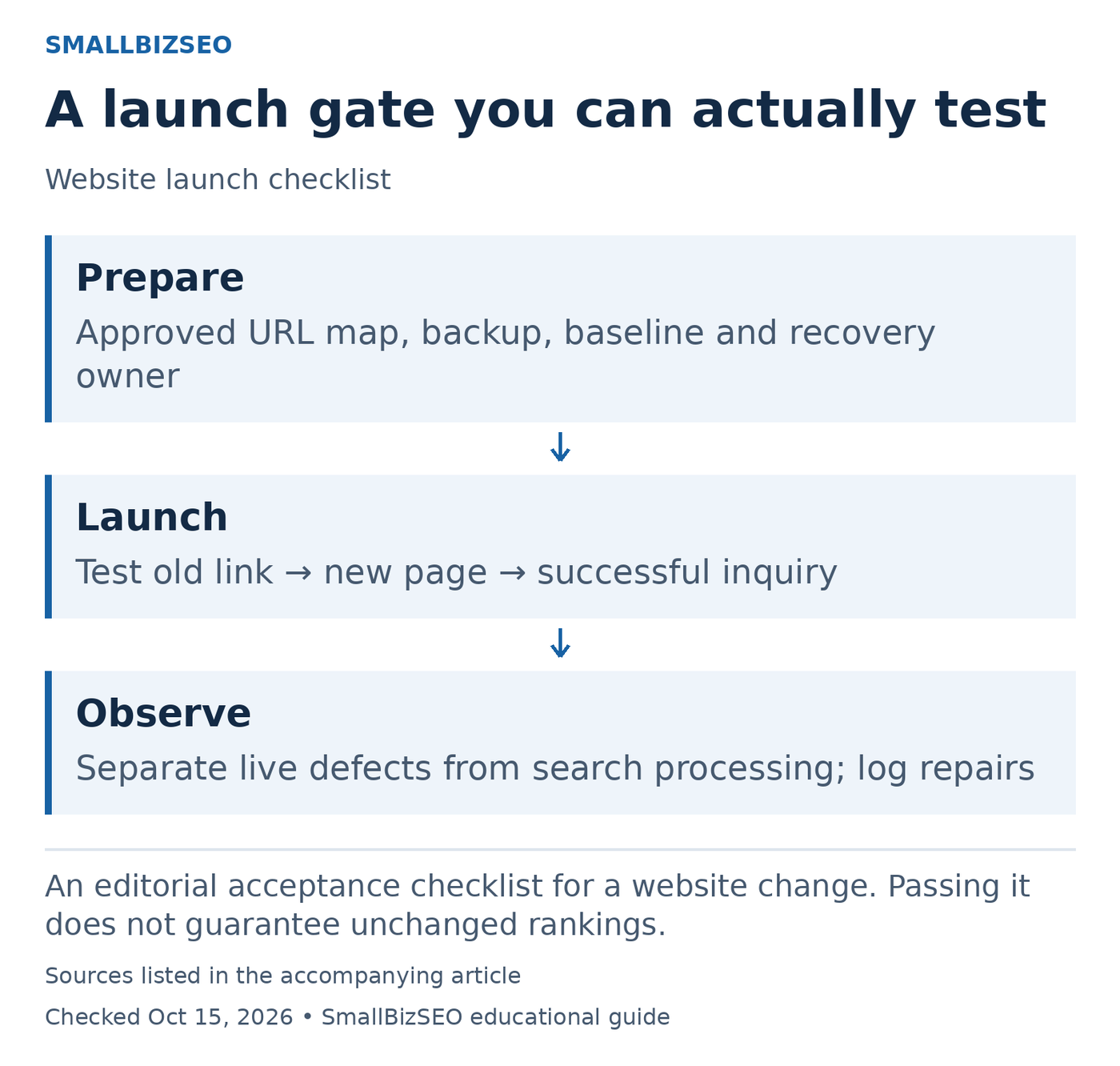
An editorial acceptance checklist for a website change. Passing it does not guarantee unchanged rankings.
Sources: Google official guidance. Checked October 15, 2026. This visual is an editorial guide, not measured client results.
Before launch: confirm that page decisions and replacement addresses are approved. Have the developer demonstrate a representative redirect on the test setup where possible. Save the existing site and measurement baseline, and decide who can authorize a recovery if something business-critical breaks.
At launch: run the complete customer journey on the live domain. Open an old service link, inspect the destination, navigate to the inquiry route, and verify that the test message reaches the business. Check that intended public pages are accessible and that preview-only indexing restrictions have not followed them into production.
After launch: distinguish a broken implementation from search processing. A redirect loop or failed booking form needs correction; a changed search report needs investigation against the migration record. Keep a dated list of fixes so later changes can be interpreted.
In a hypothetical booking-site move, the page may load perfectly while its calendar still points to a test account. That is why visual approval and customer-journey approval are separate sign-offs. Ask the launch owner to show evidence for both before treating the move as complete. Continue checking important old links and search reports after the first successful test.
Reference: Google’s official guidance. This checklist is an editorial planning aid; checked October 15, 2026.
Your next step
Ask for a written launch checklist covering page preservation, redirects, measurement, customer testing, and recovery. Approve the launch after the responsible people can show those checks have passed.