

Improve an existing page when it already serves the right customer need but is incomplete, unclear, outdated, or difficult to use. Publish a new page when an important customer need has no suitable home on your website. The best choice starts with a page review, rather than a monthly publishing target.
This keeps effort focused on pages that can support real business goals and reduces the chance of maintaining several pages that all try to do the same job.
Asana's content marketing guide also recommends auditing existing material to find gaps and refresh opportunities before creating more. For your website, that inventory should lead to a clear decision about what to keep, improve, consolidate, or create.
Give every important page a decision
Make a simple inventory containing each URL, its purpose, the service it supports, its current search activity, and whether it produces useful inquiries. Then choose one of these actions:
Keep: the page is accurate, useful, and doing its job. Check it periodically instead of changing it without a reason.
Improve: the topic and URL are appropriate, but the explanation, evidence, navigation, or next step needs work.
Consolidate: two or more pages substantially answer the same question. Combine the strongest useful material where appropriate and plan redirects for pages being replaced.
Create: a distinct service, audience need, or decision has no adequate page.
Retire: information is no longer useful or accurate. Check traffic, links, and an appropriate replacement before removing it.
Look for the specific reason a page underperforms
Low traffic alone does not tell you what to change. A page may cover a narrow but valuable service, be hard to discover, answer the wrong question, or receive visitors who cannot tell whether your business is a good fit.
Use the Search Console performance report to examine the page's queries, impressions, and clicks. Pair that with your own lead information and a manual review. Compare similar periods and allow for seasonal demand rather than treating every monthly change as an SEO result.
For the content review, ask whether a customer can make a useful decision after reading it. Google's people-first content guidance emphasizes usefulness and original value. Adding paragraphs solely to make a page longer does not resolve a missing answer.
A hypothetical example
Imagine a landscaper with a general services page and several short lawn-care posts. Its profitable drainage work is barely mentioned. Improving the general page could help visitors navigate, but a dedicated drainage service page may be justified because customers need distinct information about symptoms, assessment, installation, and requesting an estimate. Meanwhile, three overlapping lawn-watering articles could become one clearer guide.
Use a page-decision worksheet
Before changing a page, write one sentence explaining its job for the customer. Add the URL, current evidence, proposed action, and what a successful revision would help the reader do. If the page’s purpose is unclear, settle that question before deciding whether to expand it.
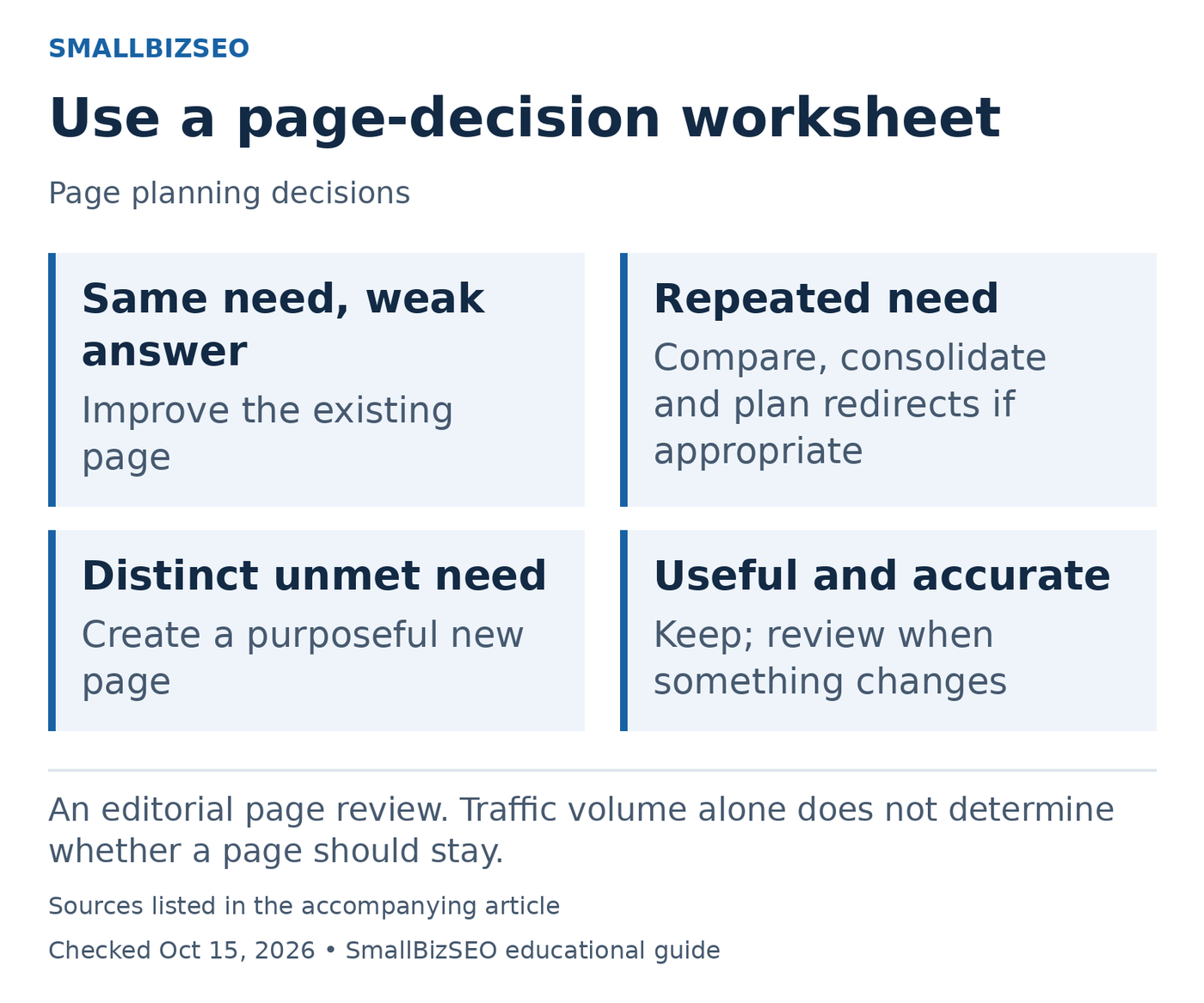
An editorial page review. Traffic volume alone does not determine whether a page should stay.
Sources: Google official guidance. Checked October 15, 2026. This visual is an editorial guide, not measured client results.
Existing purpose, missing answer: improve the current page. For example, a hypothetical garden-design page may explain the service well but omit how consultations work. Adding the accurate process is more useful than publishing another broad introduction to garden design.
Same purpose in several places: compare the pages side by side. Mark useful material unique to each, existing links, and customer outcomes before choosing a main destination. Consolidation is a planned content and URL change, not simply deleting whichever page gets fewer visits.
Distinct purpose with no home: outline a new page around the missing decision. Describe what the reader needs that cannot be handled clearly in an existing section. A different keyword alone does not establish a different customer need.
Keep an “unchanged for now” option. A narrow service page can be valuable even if its traffic is modest. Save a copy of the original and note the publication date so the revision can be reviewed against a comparable period. Finish by naming the person who approves business facts and the person who checks the live result. The worksheet is complete when someone can implement and verify the decision, not when every row says “add content.”
Reference: Google’s official guidance. This checklist is an editorial planning aid; checked October 15, 2026.
Common mistakes and the next step
Avoid deleting old pages simply because they are old, changing useful URLs to make them look newer, or rewriting a page without recording its starting performance. A redesign or content refresh can accidentally remove information customers relied on.
Start with five commercially important pages. For each, record one decision, the evidence behind it, and the improvement you expect a customer to notice. Complete that small batch before expanding the publishing plan.