


Traffic without qualified leads usually means there is a mismatch somewhere between the visitor, the offer, and the next step. Before buying more traffic or publishing more content, check whether the right people arrive and whether they can successfully contact you.
Follow the customer journey in order
Define a qualified lead. Write down the requirements that matter: needed service, location, project size, timing, or another genuine fit criterion. Separate suitable prospects from spam, job applications, suppliers, existing-customer support, and requests for services you do not offer.
Check which visitors are increasing. Review the pages receiving traffic and how people reach them. Search Console's Performance report shows search queries and pages. A popular advice article may attract people researching a task they intend to do themselves.
Compare the page with the visitor's need. Does it clearly explain what you sell and who it suits? State your actual service area, scope, process, and important constraints. Include appropriate proof, such as approved project examples, rather than unsupported claims.
Test the next step. Complete the form on a phone, check that the message arrives, and test telephone and booking links. Look for confusing buttons, unnecessary fields, unexpected errors, and instructions that ask for too much before the visitor understands the offer.
Review what happens after the inquiry. Check missed calls, inbox routing, response times, and follow-up ownership. A suitable lead that never receives a useful response can look like a marketing failure when the breakdown happens later.
Confirm the measurement. A button click is not necessarily a submitted form, and a submitted form is not necessarily a qualified prospect. Check for duplicate events and compare reports with the inquiries your team actually received.
Example: traffic grows for the wrong reason
Hypothetical example: A bathroom renovation business receives more visits after publishing a guide to replacing a shower seal. Most readers want a small DIY fix, while the business wants complete renovation projects. Adding a larger “Contact us” button may not solve that audience mismatch.
The owner could retain the useful guide while improving pages about complete renovations, including project scope, process, relevant work, and a suitable consultation request. A helpful link can connect readers who do need a larger project without implying every DIY visitor is a likely customer.
Use the pattern to choose the fix
If few visitors match your customers, revisit the subjects and searches you target. If the right visitors arrive but do not inquire, investigate the offer and page experience. If qualified inquiries arrive but few become customers, examine pricing fit, sales handling, capacity, and how expectations are set.
For a small business, manually reviewing a manageable sample of recent inquiries can uncover more useful detail than a site-wide conversion percentage.
Pitfalls to avoid
Avoid changing everything at once, treating all visitors as ready to buy, or reducing form fields so far that your team loses essential qualification information. Also avoid judging SEO only by total traffic when the business needs a particular kind of job.
Find where a suitable inquiry is being lost
Review a small set of recent inquiries alongside the pages that brought people in, wherever that connection is reliably available. Keep personal details out of shared SEO reports; a reason category is usually enough to diagnose the problem.
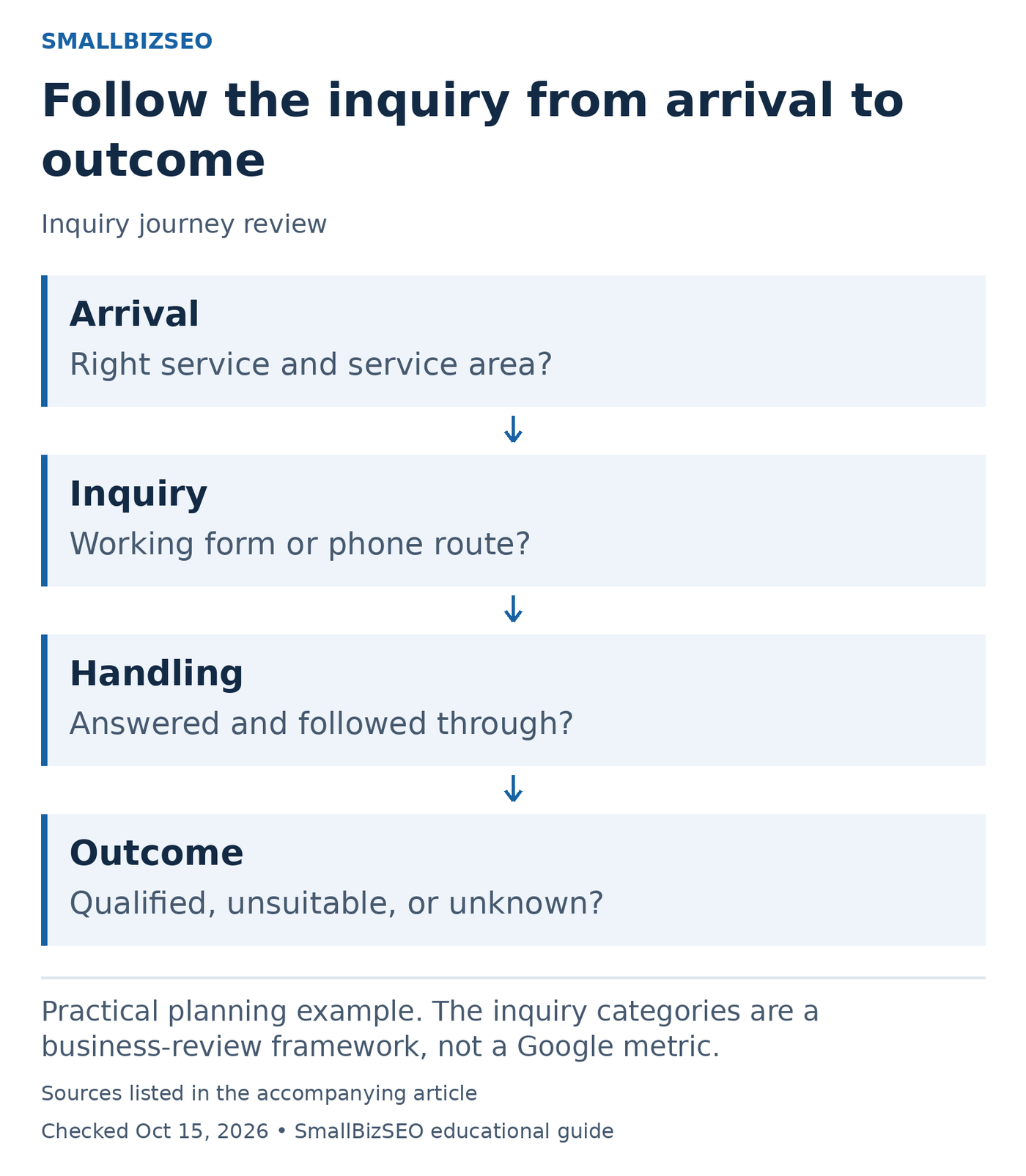
Practical planning example. The inquiry categories are a business-review framework, not a Google metric.
Sources: Google SEO Starter Guide. Checked October 15, 2026. This visual is an editorial guide, not measured client results.
Separate four outcomes: a suitable prospect who booked; a suitable prospect who did not book; a request outside your offer or service area; and an inquiry whose outcome is unknown. These categories reveal different work. Unknown outcomes require better follow-through or records before they support a conclusion about traffic quality.
For unsuitable requests, inspect whether the landing page implies a service, location, price point, or customer type the business does not support. For suitable prospects who disappear, test the mobile form, confirmation message, phone route, and response process. Use a clearly marked test submission so staff do not mistake it for a real customer.
Hypothetical example: A commercial cleaning company repeatedly receives domestic cleaning requests. Clarifying its commercial-only offer may reduce total inquiries while improving fit. Record both numbers rather than judging success by raw form submissions alone. This is a diagnostic example, not a forecast of the result.
Reference: Google SEO Starter Guide. The inquiry categories are a business-review framework, not a Google metric.
Your next step
Review your most-visited landing pages and recent inquiries together. Pick one mismatch, make a specific correction, and track whether the share of suitable inquiries improves.