

Search Console helps explain how your website appears and performs in Google Search. Google Analytics helps explain what measured visitors do on your website and how different traffic sources contribute. Using both gives a more complete view, but their numbers are not expected to match exactly.
What does Search Console tell me?
Its Search performance report includes clicks, impressions, click-through rate, and average position. You can examine the pages and queries associated with search activity, along with dimensions such as country and device.
This helps answer questions such as: Are important service pages being discovered? Which search topics are gaining visibility? Did a change affect one page or a larger section? Search Console also has diagnostic reports that can help investigate technical problems.
What does Analytics tell me?
Analytics can show measured website activity across traffic sources, including visits, engagement, and configured key events. The usefulness of those reports depends on correct implementation and on choosing actions that matter to your business.
For a service business, a completed inquiry may be more useful than a page view. Even then, a tracked form submission does not establish that the inquiry was genuine, qualified, or converted into a customer. Your customer records provide additional context.
Why are clicks and sessions different?
Google's guide to using the tools together explains that they collect different kinds of data. A Search click and an Analytics session have different definitions. Implementation, consent, time zones, URL handling, and filtering can also affect comparisons.
A small mismatch is not automatically a problem. A sudden or substantial divergence deserves investigation, particularly after a website or tracking change.
How should I compare them?
Use matching date ranges and note time-zone differences.
Compare the same website or relevant page group.
Separate Google organic traffic from other sources in Analytics.
Check that tracking exists on the pages being compared.
Look at trends before demanding identical totals.
For example, if Search Console clicks remain stable while recorded Analytics visits suddenly fall, investigate measurement and website changes before concluding that rankings collapsed. If both decline for the same important pages, look more closely at search visibility and demand.
Reconcile a mismatch without forcing equal totals
When two reports disagree, start a comparison note with the business question. “Did fewer Google searchers reach our service pages?” needs a different check from “Did fewer visitors finish the inquiry form?” This prevents a broad traffic total from answering the wrong question.
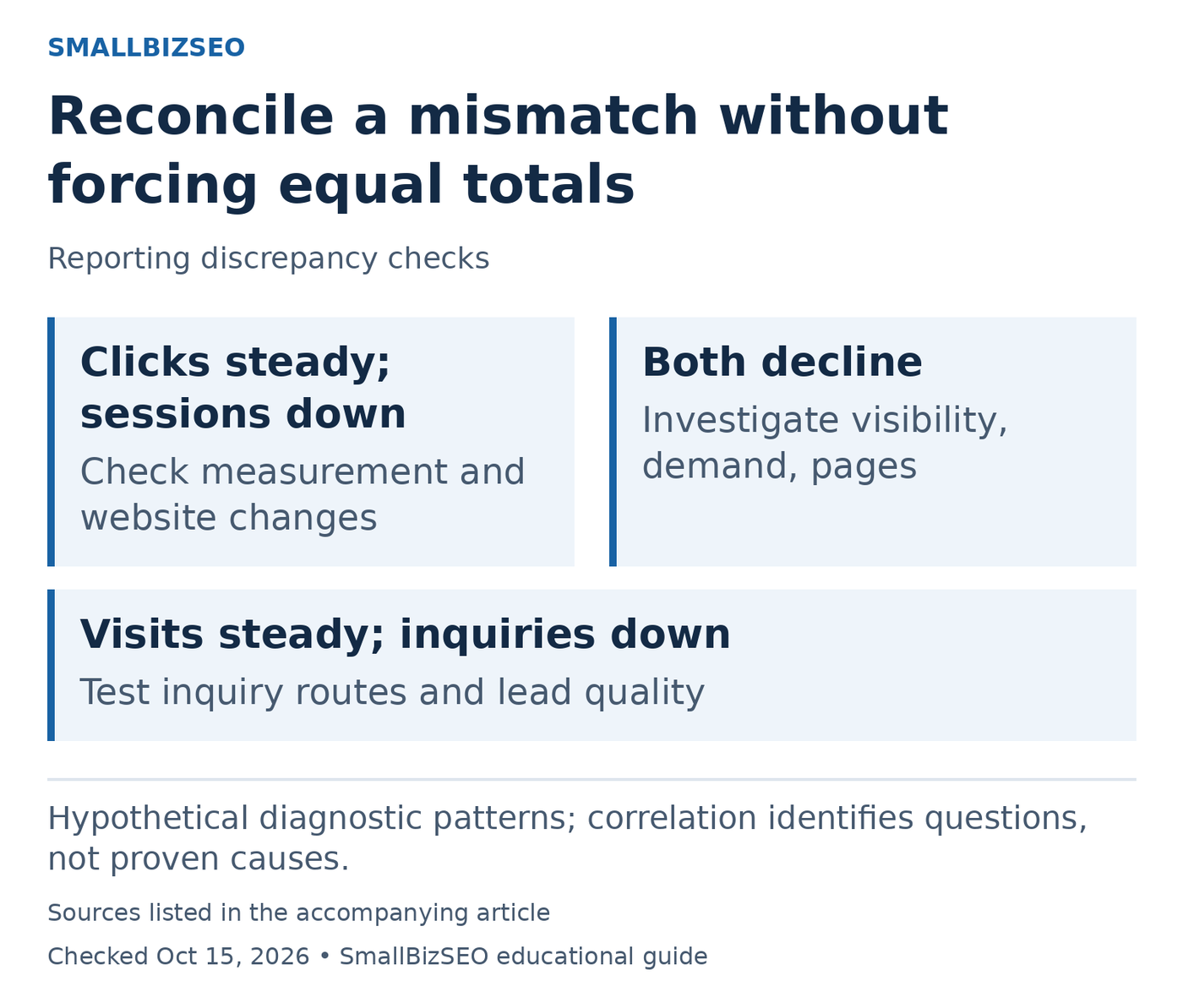
Hypothetical diagnostic patterns; correlation identifies questions, not proven causes.
Sources: Using Search Console and Analytics together. Checked October 15, 2026. This visual is an editorial guide, not measured client results.
Next, lock the comparison: same dates, same page group, and Google organic sessions in Analytics rather than all traffic. Note the reporting time zones and whether URL variants are grouped differently. Save the exact report filters so another person can reproduce the comparison.
Hypothetical pattern one: Search clicks look steady, while measured sessions drop immediately after a website release. Inspect the analytics implementation and consent behavior on the affected templates before commissioning a ranking recovery project.
Hypothetical pattern two: Clicks and sessions both decline on the same service pages. Investigate search visibility, customer demand, and page changes. Agreement makes a real change more plausible, but does not identify its cause.
Hypothetical pattern three: Visits are steady while successful inquiries fall. Test the form and review lead quality. The useful next step may be repairing a broken inquiry route. Google’s combined-tool guidance explains why clicks and sessions need not match; use each measure for its own question.
Reference: Using Search Console and Analytics together
Which tool should I trust?
Choose the tool suited to the question. Use Search Console for Google's search-performance data, Analytics for measured on-site behavior, and your lead or sales records for commercial outcomes. A useful SEO report explains how those views fit together and clearly labels what each number can and cannot show.