

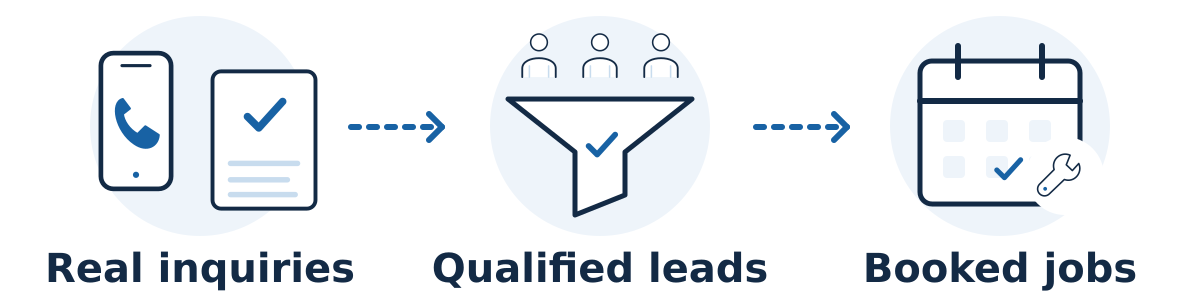
Track the completed inquiry first, then connect it to lead quality and booked work in your customer records. A phone-button click, a successful form submission, and a paid job are different events. Keeping them separate helps you see where organic visitors become customers and where the evidence is incomplete.
You can start with analytics and a controlled inquiry log. A customer relationship management system, or CRM, becomes useful when several people handle leads or the sales process takes longer. The tools need shared definitions before they need more dashboards.
Set up the measurement in order
Define the stages. Write down what counts as an inquiry, a qualified lead, a confirmed booking, and completed paid work. Decide how to treat spam, duplicates, existing customers, cancellations, and repeat calls. Assign someone to update each lead's outcome.
Count successful form submissions. Trigger the lead event after the website confirms the submission succeeded, rather than when someone clicks Submit. Test errors and rejected submissions too. GA4's enhanced measurement includes form_start and form_submit, but verify those events against your actual forms before treating them as leads.
Use an appropriate GA4 event. Google's recommended events include generate_lead for a generated lead. Configure the event for the intended success condition, then mark the relevant event as a key event. Do not count both an automatic form event and a custom event as two inquiries from the same submission.
Separate phone intent from actual calls. Label a tap on a telephone link as a phone click. If you need confirmed-call attribution, assess a call-tracking service that connects calls to recorded traffic sources. Check number ownership, forwarding, source assignment, missed calls, and access before using it. Call duration alone does not establish that a caller is qualified.
Record bookings where they happen. Track a confirmed appointment or order, rather than merely opening the booking calendar. If the booking takes place on another domain or platform, check its supported integration and test the complete journey. Keep a sales-system record of later cancellations and completed jobs.
Connect the records carefully. Use a permitted, non-personal reference to reconcile an inquiry with its outcome where your systems support it. Keep names, phone numbers, email addresses, and inquiry text in the appropriate secured customer system, not ordinary analytics event parameters. CRM-to-analytics reporting needs an explicit implementation; it is not created by installing GA4.
Keep attribution and privacy limits visible
For visits that started through unpaid search, inspect the Organic Search row using the Session default channel group. First-user acquisition and event-attribution reports answer different questions. Label which view you use and avoid adding their totals together.
A person may discover you on one device, return through another channel, and call later. Consent choices, blockers, and offline conversations also leave gaps. Keep “unknown” as an honest source category and compare analytics with actual inquiry records.
Follow Google's guidance on avoiding personal information in ordinary analytics fields, including URLs. Plan appropriate privacy notices, access controls, retention, and consent handling for your setup. Recording or transcribing calls adds privacy considerations; get qualified advice on applicable requirements before enabling it. Source tracking does not automatically require recording conversations.
A hypothetical example
A repair business records 18 phone clicks and eight successful forms from organic-search sessions. Its call system identifies 11 connected calls; staff classify six calls and five forms as qualified. Four opportunities become booked jobs. Report each stage separately and deduplicate anyone who both called and submitted a form. The 18 phone clicks are not 18 customers.
Test the lead record, not just the button
Prepare a small acceptance-test sheet before using a lead report to judge SEO. Each test needs the action taken, the expected website response, the expected analytics event, the expected customer-system record, and the actual result. Keep test records identifiable internally so they can be excluded from commercial reporting.
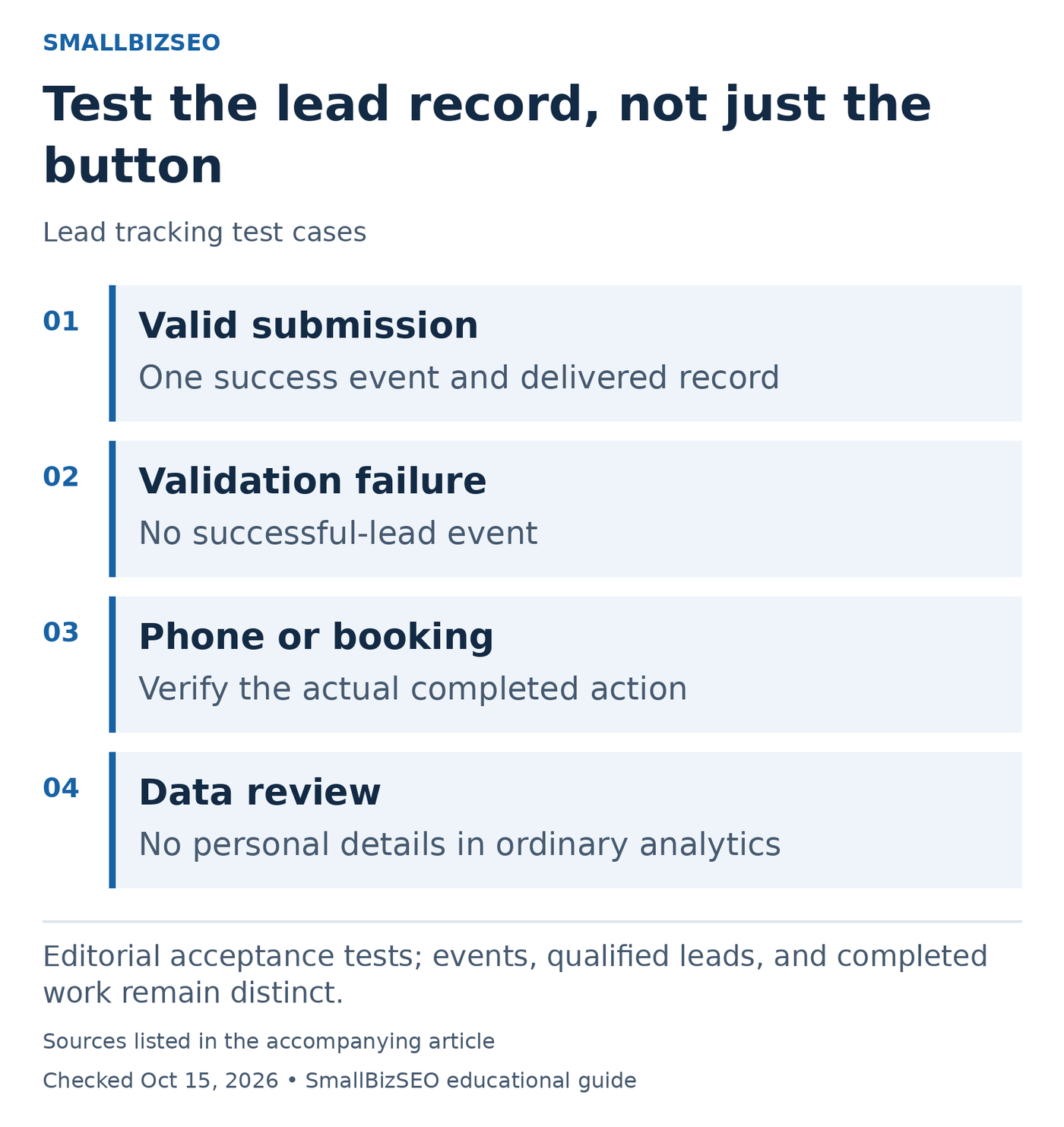
Editorial acceptance tests; events, qualified leads, and completed work remain distinct.
Sources: Avoid personal information in Analytics. Checked October 15, 2026. This visual is an editorial guide, not measured client results.
Successful form: Submit one valid test inquiry. Confirm the success response, one intended lead event, and one delivered customer record. Check that refreshing the confirmation page does not create another inquiry.
Rejected form: Leave a required field incomplete or trigger a safe validation error. The expected result is a useful error message and no successful-lead event. A Submit-button click alone must not pass the test.
Phone and booking: Distinguish a telephone-link tap from a connected call, and opening a calendar from a confirmed booking. Verify the later outcome in the system that actually holds it. If a test uses another domain, follow the complete journey.
Review which data leaves each system. Names, email addresses, phone numbers, and free-text inquiries do not belong in ordinary Analytics parameters or page URLs. Google’s privacy guidance is a starting point for implementation review. Record attribution gaps explicitly and ask the implementer to check consent behavior. An event firing correctly does not prove that the lead was qualified.
Reference: Avoid personal information in Analytics
Verify before trusting the report
Use test submissions to confirm that a successful inquiry creates one record, a failed submission creates none, and a page reload does not create another lead. Make a test call and booking, then find their matching records. Review both accepted and declined consent paths with your implementer.
Start with one high-value inquiry route. Document its success condition, test it end to end, and reconcile a small sample with your real lead log before expanding the setup.