


Create a separate city or service-area page when you genuinely serve that market and can help its customers make a more informed decision than your existing pages allow. Start with the customer's need, the services available, and evidence of your work there. A new place name alone is a weak reason for a new URL.
How do I decide whether a page is worthwhile?
Use this practical four-part test before commissioning copy:
There is a real business opportunity. You can serve customers in that area reliably and profitably. Check your actual coverage, travel charges, scheduling limits, and demand from previous inquiries.
The search has a distinct purpose. Review what prospective customers ask and what relevant search results provide. Decide whether they need a city-specific answer, a particular service page, or a simple coverage statement.
You have useful differences to explain. Examples include a genuine branch, locally relevant project photos, service availability, access arrangements, or customer questions specific to that area. Verify claims before publishing them.
The page belongs in the website. Customers should be able to find it through a sensible services or areas-served section. Give it a clear route to an inquiry, booking, or relevant service detail.
These are editorial planning tests, not a Google approval checklist. They apply the people-first principle in Google's helpful-content guidance: publish material that leaves the intended reader better informed.
What should a useful area page contain?
Explain which services are available, who they suit, where coverage starts and ends, and what happens when someone contacts you. Add genuine examples or relevant photos when you have permission to use them. Include practical limitations, such as areas outside your normal travel range. For an actual branch, provide accurate visiting information; for a service area, clearly explain that you travel to customers.
You can reuse your business contact details and standard booking steps. The main content should still earn its place by answering that audience's questions. If you cannot identify a meaningful difference, improve a broader service page or create one useful coverage page first.
Hypothetical example
Imagine a landscaping company serving three towns. One town has a substantial portfolio of courtyard projects, and customers often ask how the team handles narrow access. A page showing those real project types, equipment arrangements, and available services could be valuable. For the other two towns, the company currently has only a generic service description. It could list those towns on its coverage page while gathering stronger material.
Common mistakes and limits
Avoid generating dozens of near-identical pages that swap town names and funnel everyone to the same useful destination. Google's doorway-abuse policy specifically addresses this pattern. There is no safe minimum word count that turns a thin page into a valuable one.
Do not invent projects, testimonials, staff, or offices. A website area page also does not establish eligibility for a separate Google Business Profile; that has its own business-location rules.
Draft the evidence before creating the area page
Use a one-page outline to test whether a proposed location page has enough customer value. Fill it with verified facts first; decide on publication afterward. This reverses the common habit of generating a town-name page and then searching for something different to say.
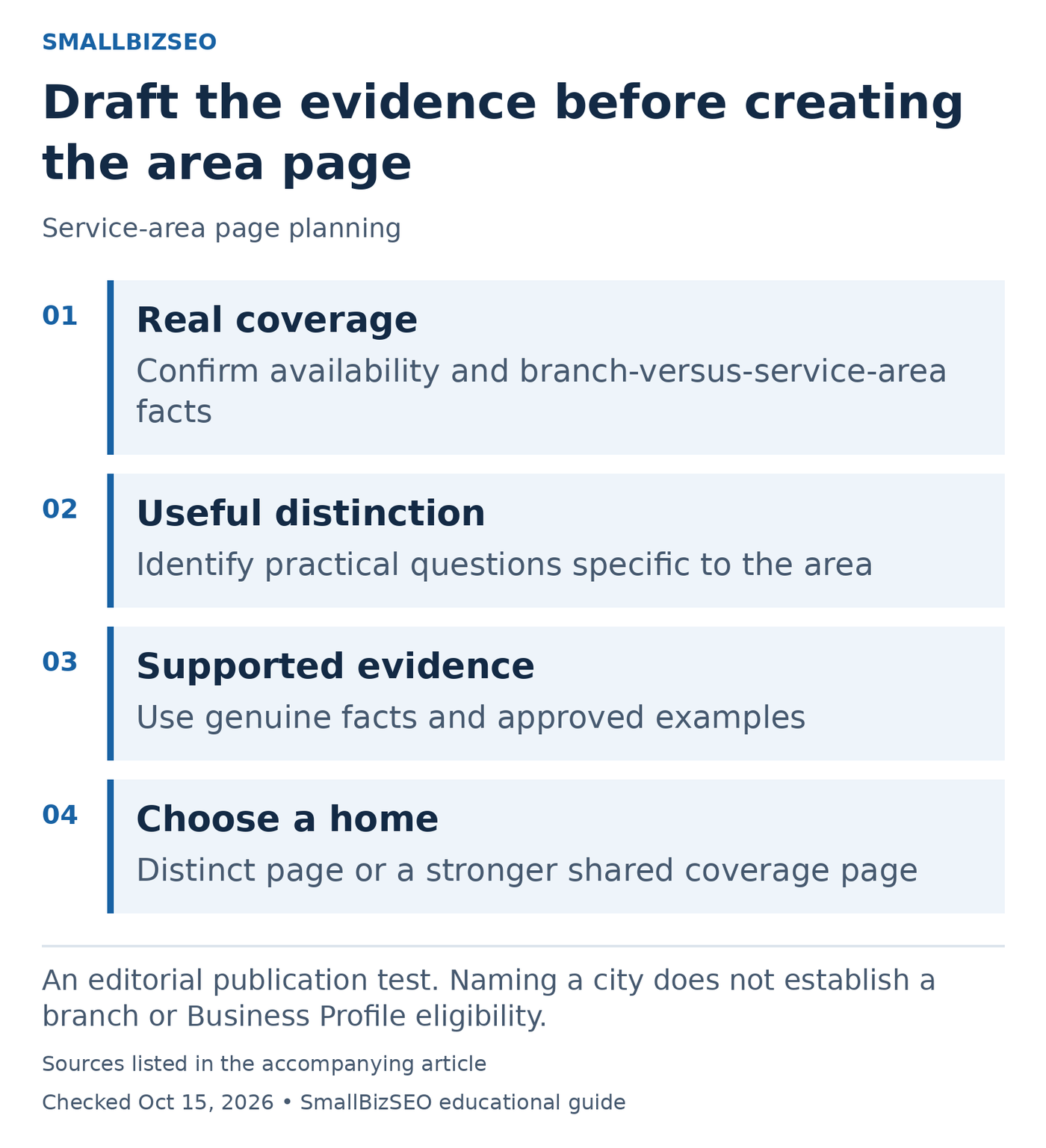
An editorial publication test. Naming a city does not establish a branch or Business Profile eligibility.
Sources: Google official guidance. Checked October 15, 2026. This visual is an editorial guide, not measured client results.
Service reality: record which work is actually available in the area and any meaningful coverage limits. Make clear whether customers visit a real branch or the business travels to them. A service-area claim should not create the impression of an office that does not exist.
Local usefulness: list questions that affect a customer’s decision there. Depending on the business, these might concern access, delivery arrangements, or examples of relevant work. Include only differences that can be supported. Decorative descriptions of a town do not automatically improve the explanation of your service.
Evidence and permission: identify the approved projects, original photographs, or operational details that support the outline. If a project cannot be shared, use an accurate service explanation instead of inventing a local success story.
Publishing decision: compare the outline with the main service page. If almost everything repeats, keep the coverage information there or on one useful areas-served page. If the outline answers a genuinely distinct need, give the new page a logical place in navigation and a relevant inquiry route. Google’s doorway policy is a warning against thin regional funnels, not a requirement to meet a particular word count.
Reference: Google’s official guidance. This checklist is an editorial planning aid; checked October 15, 2026.
Your next step
Choose one commercially important area and outline the customer questions and evidence you can supply. If the outline mainly repeats an existing page, improve that page before adding another.